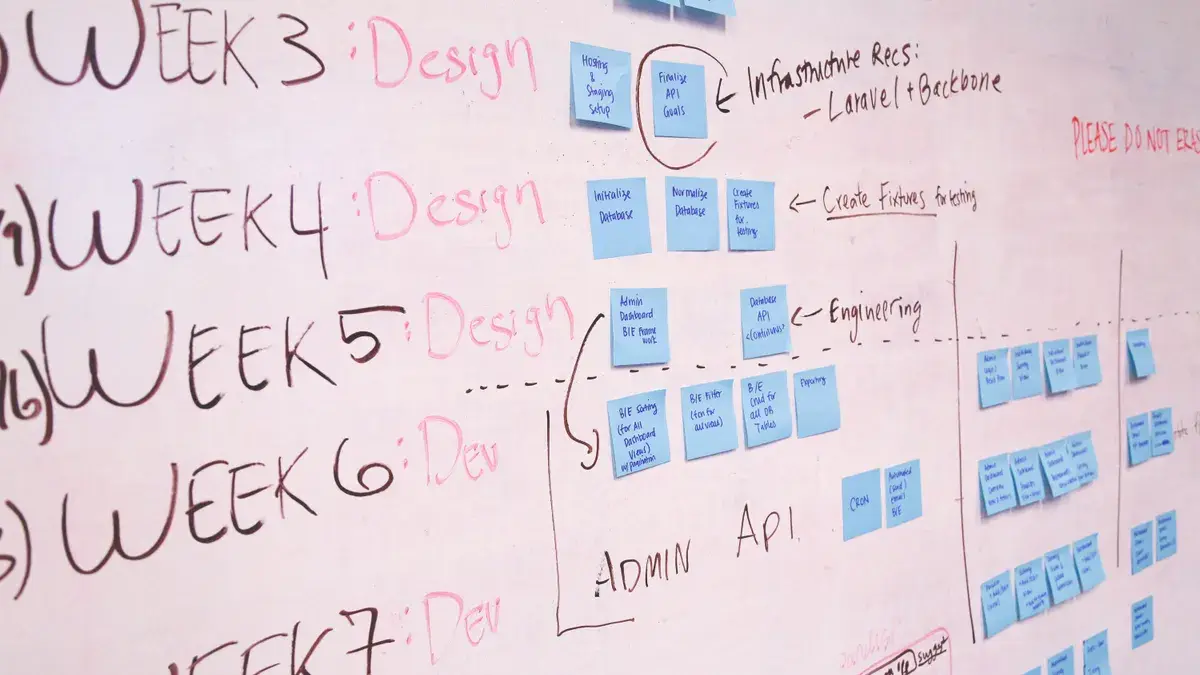
How to Use Public Status History to Reconstruct a SaaS Incident Timeline: SaaS status pages can tell you what happened, when it started, and when service…
Last updated: November 12, 2026
Key Takeaways
- The status page can anchor incident time, component, and wording without relying on memory.
- Order public updates by timestamp, then group them into detection, acknowledgment, diagnosis, mitigation, and resolution.
- Timestamps form the backbone, components show blast radius, and wording shows confidence level.
- Maintenance posts can resemble outages if you ignore context.
SaaS status pages can tell you what happened, when it started, and when service really recovered. How to Reconstruct a SaaS Incident Timeline from Status History starts with the public incident history and turns scattered posts into one clean sequence. Use the public incident history to build a timeline from the first symptom to the final resolving update. The steps below show how to turn scattered incident posts, maintenance updates, and component notes into one clean sequence.
Start with the status page, not the memory
Picture this: you’re staring at a customer complaint, a Slack thread, and a screenshot of a red dashboard. The status page can anchor the incident in time, component, and wording without relying on memory.
The first pass is simple. Open the SaaS status page, find the incident history, and note the incident title, the first published timestamp, and the last resolving update. If the page separates components, capture which uptime component was affected and which one was marked degraded or resolved.
Use this first scan to answer three questions:
- What service area was named?
- What was the first public sign of trouble?
- Did the vendor later revise the scope or only the fix?
The truth is, many timelines are wrong because people treat one post as the whole event. Consult a professional if the record affects a legal, compliance, or customer-communication decision, and verify the sequence against the vendor’s published history. A post titled “Investigating” is not the same as a later post that says “We identified the issue.” If you skip the intervening updates, you miss the shape of the outage. For a vendor-neutral reference on incident communication, see the NIST incident handling guidance: https://csrc.nist.gov/publications/detail/sp/800-61/rev-2/final
What to write down on the first pass
- Incident title as published
- First timestamp in the vendor’s time zone
- Component name, if shown
- Status language: investigating, identified, monitoring, resolved
- Any mention of a maintenance window or planned change
- Link to the post, if you are keeping notes elsewhere
That list sounds plain. It is useful. It keeps you from mixing up a user report, a maintenance notice, and a real incident.
How do you build an incident timeline from a status page?
You build it by ordering every public update by timestamp, then grouping the updates into phases: detection, acknowledgment, diagnosis, mitigation, and resolution. That gives you a timeline that is readable and defensible.
Here’s the catch: the public record is often incomplete. Status pages may skip the exact minute the problem began and only show when the vendor noticed it. That means your timeline should separate first observed, first published, and actual recovery when those differ. For a formal incident-management framework, see ITIL incident management guidance from AXELOS: https://www.axelos.com/best-practice-solutions/itil
Use this procedure:
- Capture the first incident post. Record the time, the component, and the exact wording. If the page says “We are investigating raised errors,” that is your starting language.
- List every follow-up update in order. Copy each timestamp and note whether the message changes the diagnosis, the scope, or the fix.
- Mark the turning points. Look for phrases like “identified,” “implemented mitigation,” “monitoring,” and “resolved.” These are the pivots in the story.
- Separate component-level outages from full-service incidents. If the auth component failed but the billing component stayed up, your timeline should show that split.
- Add maintenance windows only when they overlap. If a maintenance update appears near the incident, note it separately instead of folding it into the outage.
- End with the resolving update and any post-incident note. If the vendor later explains root cause or follow-up work, attach that to the end of the timeline, not the middle.
A clean timeline often looks like this:
- 09:14 — first public acknowledgment
- 09:41 — scope narrowed to one component
- 10:08 — mitigation deployed
- 10:27 — monitoring
- 10:55 — resolved
- Later that day — post-incident note with root cause or remediation
That structure keeps the page useful when you later compare it with logs, tickets, or customer reports.
Which details matter most: timestamps, components, or wording?
All three matter, but timestamps carry the backbone, components carry the blast radius, and wording carries the vendor’s confidence level. If you only copy the clock time, you lose the meaning.
A status page often uses a small set of terms repeatedly. Learn them. “Investigating” usually means the team sees symptoms but does not know the cause. “Identified” means the team has a likely cause. “Monitoring” means a fix is in place and they are watching for recurrence. “Resolved” means the vendor believes the incident is over.
The wording also tells you how much to trust the timing. A post that says “We are seeing intermittent errors” is not the same as one that says “Service has been fully restored.” The first is a symptom report; the second is a recovery claim.
Build your notes around these fields
- Published time — when the vendor told the public
- Affected component — login, API, payments, search, or another named part
- Status verb — investigating, identified, monitoring, resolved
- Scope language — all users, some users, one region, one feature
- Recovery language — mitigation applied, traffic rerouted, service restored
Now, you might be wondering whether one update is enough. It usually isn’t. A single post can tell you that an incident happened, but not how long it lasted or whether the fix was partial. You need at least the first acknowledgment and the final resolving update to anchor the window.
How do maintenance posts change the timeline?
Maintenance posts change the timeline by adding planned work that can look like an outage if you ignore context. A maintenance window is not the same thing as an incident, but it can sit right next to one and confuse the record.
The best way to handle maintenance updates is to keep them on a separate lane in your notes. Mark the scheduled start time, the expected duration if the vendor gave one, and the components named in the notice. Then compare those details with the incident history. If the outage starts during the window, you still need proof that the two events are connected.
Watch for these cases:
- A maintenance update announces work on one component, and the incident hits that same component.
- The incident begins before the maintenance notice is posted.
- The vendor posts a resolving update after the maintenance ends, which can make the outage look shorter than it felt.
- A maintenance window includes a brief service dip that should not be mistaken for a broad failure.
This is where a lot of sloppy reconstructions go wrong. The reader sees one date and assumes one cause. That is lazy. A maintenance window can be part of the story, but it is not a substitute for incident evidence.
Keep maintenance separate unless the page ties it to the outage
- Schedule note
- Affected component
- Actual disruption
- Incident updates
- Final resolution
If the status page later says the maintenance caused the disruption, you can join the records. If it does not, keep them apart.
How do you turn public status history into a clean event log?
You turn it into a clean event log by normalizing the updates into one line per event, then adding short labels that show what changed. The goal is a record you can compare with Slack, tickets, and customer complaints without rereading the whole page.
The easiest format is a table or a bullet log with five fields: time, event type, component, vendor wording, and note. That works whether the incident had three updates or thirteen. If the status page uses multiple time zones or switches day boundaries, convert everything to one time zone before you compare records.
Use this as a working template:
| Time | Event type | Component | Vendor wording | Note |
|---|---|---|---|---|
| 09:14 | Incident start | API | Investigating raised errors | First public acknowledgment |
| 09:41 | Scope update | API + login | Identified the issue | Broader impact confirmed |
| 10:08 | Mitigation | API | Monitoring after fix | Recovery underway |
| 10:55 | Resolution | API | Resolved | Service restored |
| 14:20 | Post-incident note | API | Root cause and follow-up | Add to final record |
That table does two things. It gives you a readable story, and it makes gaps obvious. If there is a 90-minute silence between acknowledgment and mitigation, you will see it at once. For a practical comparison of incident structure and public communication, see Atlassian’s incident management guide: https://www.atlassian.com/incident-management
Common mistakes that wreck the timeline
- Treating the first public post as the actual start
- Folding maintenance into incident time without proof
- Ignoring component-level differences
- Copying only the final resolving update
- Mixing vendor time zones with local time
Each mistake costs you accuracy. The fix is dull but effective: record every public update in order, then decide what it means only after the sequence is complete.
What can status history tell you about a SaaS outage?
Status history can tell you the outage’s shape, its public duration, its affected components, and how the vendor described recovery. It cannot, by itself, tell you the hidden technical root cause unless the post-incident note says so.
That limitation matters. Public status pages are communication tools first. They are designed to inform users, not to expose every internal log line. A status page may show a 47-minute service issue, but it may not show the backend failure that caused it, the region involved, or the exact rollback step.
Still, the history is valuable. It tells you whether the vendor caught the issue fast, whether they narrowed scope quickly, and whether recovery was gradual or abrupt. It also shows whether the incident hit one uptime component or a wider slice of the product.
Use the history to answer these practical questions:
- Was the incident public before customers complained?
- Did the affected component stay limited or spread?
- Was there a monitoring phase before resolution?
- Did the vendor add a post-incident note with new facts?
- Was the service restored in one step or in stages?
For a broader method that fits this page’s place in the cluster, see the hub on SaaS release and change verification. This page stays focused on public incident artifacts and the timeline they can support.
Once you get used to reading incident history this way, you can compare vendors on the same terms. That makes public status pages useful for support review, reliability checks, and incident writeups.
When public history is enough, and when it is not
- Enough: confirming publication time, recovery time, and affected component
- Not enough: proving root cause without a post-incident note
- Enough: separating outage from maintenance
- Not enough: assigning blame from wording alone
FAQ
How do you build an incident timeline from a status page?
You list every public update in timestamp order, then label each one by phase: acknowledgment, diagnosis, mitigation, monitoring, or resolution. The timeline is strongest when you separate first public notice from actual service recovery and keep component names intact.
What can status history tell you about a SaaS outage?
It can show when the vendor first acknowledged the issue, which component was affected, how the scope changed, and when the service was marked resolved. It may also show a post-incident note, but it usually will not reveal every technical detail behind the failure.
How do maintenance posts differ from incident posts?
Maintenance posts describe planned work, while incident posts describe unplanned service trouble. A maintenance update may still overlap with an outage, so the timestamps need to be compared carefully. If the page does not connect them, keep them separate in your notes.
Drafted with AI; not yet reviewed by a person.