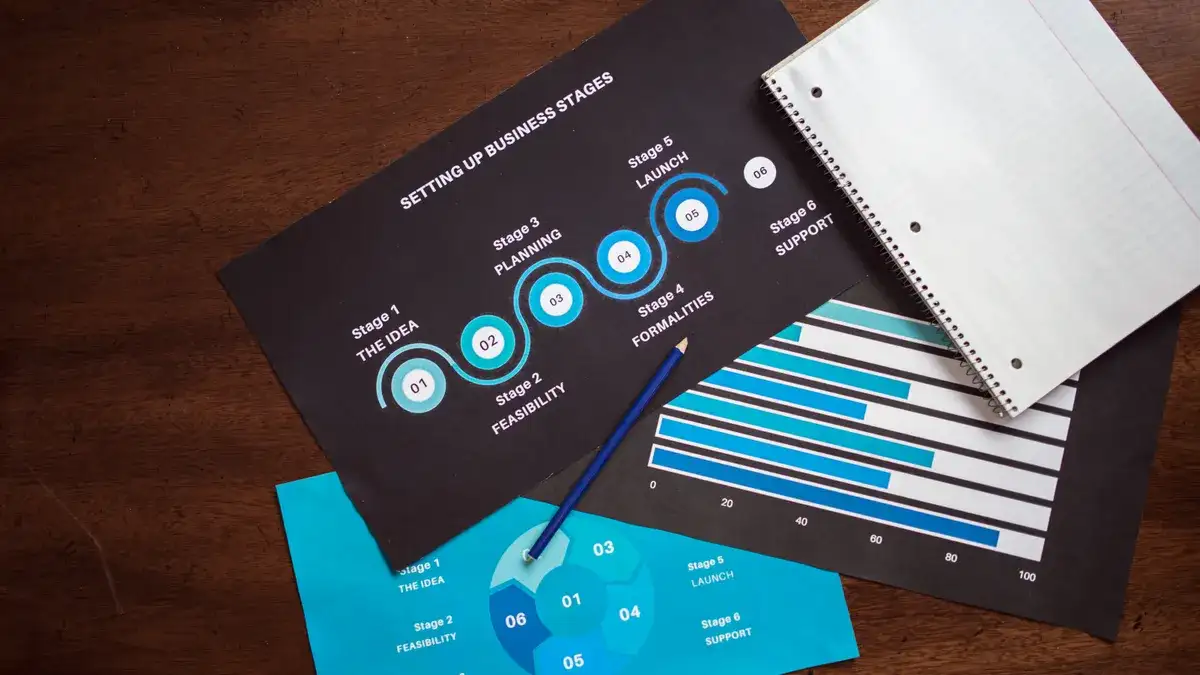
SaaS rollout and launch tracking is the system that tells you whether a release is actually landing with users, support, sales, and finance. Quick Answer…
Last updated: November 14, 2026
Key Takeaways
- SaaS rollout tracking follows a release from readiness to adoption.
- A rollout tracker matters because launch work continues after ship time.
- Track readiness, audience fit, and failure risk before launch.
- The main launch metrics are activation, adoption, support load, and retention.
SaaS rollout and launch tracking is the system that tells you whether a release is actually landing with users, support, sales, and finance. Quick Answer: track the rollout from first internal test through post-launch adoption, using a small set of launch gates and user metrics; for many teams, 3 to 5 core metrics are enough. SaaS rollout and launch tracking — The Complete Guide is about what to track, when to track it, and what to do when a launch starts to slip.
What SaaS rollout and launch tracking actually covers
SaaS rollout and launch tracking covers the path from feature ready to feature adopted. It starts with release readiness, then moves through staged exposure, activation, usage, support load, and retention signals. If you only watch the deploy date, you miss the part that hurts.
Picture this: you’re about to push a new plan, a pricing change, or a product feature to thousands of accounts, and sales wants the banner up while support is still answering basic setup questions. You need a launch tracker that shows readiness, reach, and response in the same place.
A useful rollout tracker is not a project plan with prettier colors. It is a control panel for a live release. It should answer three questions fast: is the release safe, is the right audience seeing it, and are users doing the thing the launch was meant to drive?
What this usually includes:
- release gates before exposure
- rollout stages by cohort, segment, or region
- activation and usage checks after exposure
- support and incident monitoring during the first days
- owner, date, status, and rollback path for each step
The truth is, many teams track launch activity but not launch outcome. That leaves you with a tidy checklist and no proof the release helped. A launch can be “done” and still be a bad rollout.
Why a rollout tracker matters more than a launch checklist
A rollout tracker matters because launch work does not end at ship time. It catches the gap between “deployed” and “adopted,” which is where most SaaS releases either succeed or get quietly buried.
Picture this: you shipped a billing change on Tuesday, but by Thursday the help desk is getting the same three questions, and the new flow is only being used by a small slice of customers. A static checklist would say complete. A rollout tracker would say, not yet.
A launch checklist answers “Did we do the tasks?” A rollout tracker answers “Did the release behave the way we expected?” That second question is the one that protects revenue, churn, and support time.
A strong tracker helps you spot four failures early:
- the feature is live, but nobody can find it
- the feature is visible, but activation is low
- the feature works, but support tickets spike
- the launch changes pricing or packaging, and revenue metrics drift
Here’s the catch: not every SaaS rollout needs the same depth. A minor UI tweak may need one release gate and a usage check. A pricing change, admin permission change, or enterprise workflow launch needs a much tighter watch. The higher the customer impact, the more the tracker should cover.
Useful launch tracking usually spans:
- internal readiness
- technical rollout
- customer exposure
- behavior after exposure
- incident and support response
- business outcome
Once the tracker is built, it becomes a repeatable launch operating system instead of a one-off scramble.
What should you track before launch?
You should track release readiness, audience fit, and failure risk before launch. If those three are weak, the launch metric dashboard is just a record of a bad decision.
Picture this: you’re one day from rollout, and the product is technically ready, but documentation is stale, sales has the wrong talk track, and the permission model still has one edge case. That is not launch-ready. It is almost ready, which is not the same thing.
Before launch, track the items that stop bad releases from reaching customers:
- owner assigned for each launch workstream
- release notes approved
- docs and help articles updated
- QA and regression checks passed
- feature flags or staged release settings set
- rollback plan written and reachable
- support team briefed
- billing, legal, or compliance review finished if the change touches them
A smart pre-launch tracker also records the launch segment. If you do not know who gets the change first, you cannot tell whether the launch is behaving normally. Segment details matter: admin users, paid plans, free trials, one region, one account tier, or one customer cohort all behave differently.
For launch readiness, the most useful fields are:
- launch name
- release date
- target segment
- owner
- status
- rollback trigger
- support contact
- docs link
- known risks
Don’t skip the risk field. That one line often saves the rollout when something breaks in the first hour. A generic tracker that says “green” everywhere is a trap.
Which launch metrics tell you if the rollout is working?
The right launch metrics are activation, adoption, support load, and retention signals. Those are the numbers that show whether the release changed behavior, not just code.
Picture this: the feature page is live, the release note is out, and traffic is up. That still does not tell you whether customers understand the change or use it more than once. You need outcome metrics, not applause metrics.
Track the launch in layers:
- Exposure
– how many users or accounts can see the change
– how fast the rollout is expanding - Activation
– how many exposed users complete the first meaningful action
– setup completion, first project created, first workflow run, first invite sent - Adoption
– repeat use after the first action
– feature usage over 7, 14, or 30 days, depending on the product - Support impact
– tickets, chat volume, bug reports, and confusion themes - Business impact
– conversion, expansion, downgrade, churn, or time-to-value, if the launch touches those areas
The exact metrics depend on the launch type. A new collaboration feature needs usage and repeat usage. A pricing rollout needs conversion, plan mix, and downgrade signals. A permissions change needs failed actions and support contacts.
What a generic article gets wrong is treating “feature adoption” as one number. For practical rollout decisions, and with a professional analyst or product lead involved, it is safer to break adoption into first use and repeat use; sources such as Nielsen Norman Group and Amplitude both recommend looking beyond a single usage count.
A practical set of launch KPIs looks like this:
- rollout coverage
- activation rate
- repeat usage rate
- ticket volume
- error rate
- conversion movement
- retention movement
Now, you might be wondering which of these matters most. The answer is the one tied to the launch goal. If the goal is adoption, track behavior. If the goal is revenue, track plan and payment movement. If the goal is stability, track incidents and errors first.
How do you set rollout stages without causing chaos?
You set rollout stages by exposing the feature in small, testable slices and only widening when the last slice behaves normally. That can be one of the safest ways to launch a SaaS change without turning every problem into a company-wide problem.
Picture this: you have a feature flag, a thousand users waiting, and a launch date on the calendar. If you switch everyone on at once, you learn fast. You also create the biggest possible blast radius. Staged rollout gives you a buffer.
A sane rollout plan usually includes:
- internal users first
- one small external cohort
- one broader cohort
- full release only after checks pass
The cohort can be based on account size, plan type, geography, or product usage. Pick the slice that gives you a clean signal. If you launch to enterprise first, you learn about high-complexity accounts. If you launch to a smaller segment first, you catch basic workflow problems before they spread.
A rollout stage should have:
- entry criteria
- exit criteria
- owner
- monitoring window
- rollback condition
That structure matters because “let’s watch it” is not a plan. A stage with no exit rule just becomes permanent limbo.
The trade-off is speed versus safety. Fast launches get feedback sooner. Staged launches reduce risk. If the change is low-risk and easy to reverse, a faster rollout can be fine. If the change affects billing, permissions, onboarding, or customer-facing workflows, staged rollout is the better move.
What tools and data sources belong in launch tracking?
The best rollout tracking uses product data, support data, and internal status data together. If you only track one layer, you miss the story.
Picture this: the product analytics dashboard shows healthy clicks, but support is flooded with “How do I turn this off?” messages. Or the project board says complete, but the actual usage never moved. That split view is common, and it’s why rollout tracking fails when it lives in one tool only.
The core data sources are usually:
- product analytics for feature usage
- event logs for errors and failed actions
- support desk data for ticket spikes and issue themes
- incident status for outages or regressions
- CRM or billing data for conversion and revenue impact
- project management data for launch tasks and owners
A useful launch tracker does not need fancy software to start. A spreadsheet can work if it has the right fields and people actually update it. The problem is not the format; it is stale data. If your launch status changes once a day but traffic changes by the minute, the tracker will lag behind reality.
Here’s the catch: too many teams mix task tracking and outcome tracking into one giant board. That board becomes unreadable. Keep the workstream list, but add a separate view for live metrics. One is for completion. The other is for signal.
A clean setup often has:
- a launch plan board
- a live monitoring dashboard
- a support triage view
- a post-launch summary
If you’re choosing software for this job, look for fast updates, role-based views, alerting, and easy export. If it can’t show status changes cleanly or connect launch owners to live data, it will become shelfware.
For more on launch monitoring and release process discipline, see Atlassian’s release management guidance and Google’s Site Reliability Engineering material on change management.
What breaks SaaS launches most often?
SaaS launches usually break because teams confuse completion with adoption, skip rollback planning, or launch to the wrong segment. Those are the mistakes that show up again and again.
Picture this: engineering marked the release as done, marketing sent the announcement, and sales is already using the new pitch deck. Then support sees confused users, and the metrics say the feature is live but not being used. The release technically happened. The launch still failed.
The most common failure points are:
- no clear owner for the launch
- weak or missing rollback plan
- too much launch scope at once
- poor docs or in-app guidance
- launch timing that clashes with another change
- no agreement on success metrics
- support not briefed before exposure
- wrong audience in the first rollout slice
The problem with generic launch advice is that it sounds like “communicate better.” That’s too vague to use. The real issue is usually structural. If nobody owns the launch gating, if support sees the change after users do, or if the segment is too broad, the launch gets noisy fast.
A release can also fail in a quiet way. The feature may work and still not matter. If the launch goal was activation and the numbers barely move, the rollout has done little more than create a task trail.
The best defense is a launch brief with five hard answers:
- what changed
- who sees it first
- what success looks like
- what failure looks like
- who acts if it slips
Those five answers should be visible to product, support, marketing, and sales. If one team can’t find them in 30 seconds, the tracker is too hard to use.
How do you run the first 72 hours after launch?
You run the first 72 hours by watching exposure, errors, tickets, and usage in a tight loop, with a person assigned to make decisions fast. That window is where small launch problems either get fixed or spread.
Picture this: the feature is live at 9 a.m., and by noon the team is staring at mixed signals. Some users are active, one support theme is repeating, and the rollout stage is only halfway through. This is where a tracker earns its keep.
The first 72 hours should have a simple routine:
- check rollout coverage at set intervals
- watch error and failure rates
- scan support themes
- compare usage against the launch goal
- pause or widen rollout based on pre-set rules
Do not wait for a meeting to notice a bad pattern. The launch owner should be able to see a live view and act on it. If the issue is large enough, the tracker should show the rollback trigger and who has the authority to use it.
A useful launch monitor often includes these fields:
- current rollout percentage
- active incidents
- ticket trend
- activation trend
- top user complaints
- decision status: continue, pause, or roll back
The launch is not over when the deploy is complete. It is over when the signal stabilizes and the business result matches the goal. That may take hours for a small UI change or several days for a pricing or workflow change.
What should the post-launch review capture?
The post-launch review should capture what happened, why it happened, and what to change next time. If it only says “launch complete,” it has failed its job.
Picture this: the release is done, the noise has settled, and everyone wants to move on. That’s exactly when you need a short, honest review, because the details are still fresh and the launch data is still readable.
A solid post-launch review includes:
- original goal
- planned segment
- actual segment reached
- timeline of issues
- support themes
- metric movement
- rollback or pause events
- what should change in the next launch
Do not let the review turn into blame theater. The point is not to find one person to pin the mess on. The point is to see where the process leaked. Was the problem the segment choice, the docs, the feature flag, the timing, or the metric definition? That’s the real value.
This is also the place to record what worked. A launch process that is never documented gets reinvented badly every time. Good launch tracking builds memory. Bad launch tracking builds repeat mistakes.
If the launch was successful, say why in plain language. If it failed, say what failed first. That order matters more than polish.
When does SaaS launch tracking need a different approach?
You need a different approach when the launch affects billing, compliance, enterprise workflows, or customer permissions. Those launches have more downside than a normal product update.
Picture this: you are changing pricing, usage limits, admin roles, or data handling. A simple adoption dashboard won’t be enough. You need stronger gates, tighter ownership, and a slower rollout curve.
Exception scenarios where the overall approach changes:
-
Pricing or packaging changes
- Track conversion, downgrade, and revenue movement, not just clicks.
- A clean rollout with bad revenue is still a bad rollout.
-
Permission or access changes
- Track failed access attempts and support contacts.
- The risk is user lockout, not feature boredom.
-
Enterprise workflow changes
- Track admin feedback and rollout by account, not by individual user.
- One account can create far more noise than 100 casual users.
-
Regulated or compliance-linked changes
- Add approval, audit, and legal checkpoints before exposure.
- Speed is less important than traceability.
The answer is that not every release belongs in the same launch motion. Small changes can use a lighter tracker. High-impact changes need more control, more visibility, and more rollback discipline.
The verdict: what a good launch tracker looks like
A good launch tracker gives you a single place to see readiness, rollout stage, live behavior, and business impact. It should be simple enough to update and strict enough to stop a bad release.
Picture this: the launch is underway, a support issue appears, and the product owner needs to know whether to continue. The best tracker answers that in seconds, not after a meeting thread.
Use this rule of thumb: if the launch is reversible and low-risk, keep the tracker lean. If the launch affects money, access, or core workflows, make the tracker stricter and the rollout smaller.
| Criteria | Release checklist | Launch tracker | Winner for this condition |
|---|---|---|---|
| Main purpose | Confirms tasks are done | Shows whether the launch is working | Launch tracker for outcome-focused launches |
| Best use case | Small internal releases | Customer-facing rollouts | Launch tracker for external launches |
| Risk control | Light | Stronger, with gates and rollback | Launch tracker when failure is costly |
| Metric visibility | Limited | Reads live usage and support signals | Launch tracker when adoption matters |
| Speed to build | Faster | Takes more setup | Release checklist for tiny changes |
| Team coordination | Basic | Cross-functional | Launch tracker when more than one team is involved |
| Post-launch learning | Thin | Better review data | Launch tracker for repeat launches |
| Ease of maintenance | Simple | Needs upkeep | Release checklist if the change is one-off |
Choose a launch tracker if the rollout changes customer behavior, billing, access, or support load. Choose a release checklist if the change is tiny, reversible, and low-risk. Neither if the team cannot name the owner, the success metric, and the rollback trigger before launch day.
FAQ
What is the difference between rollout tracking and launch tracking?
Rollout tracking follows the staged exposure of a release, while launch tracking includes the broader outcome after release. Rollout is about who sees the change and when; launch tracking also covers usage, support, and business impact.
What metrics should I watch during a SaaS launch?
Watch exposure, activation, repeat usage, support volume, error rate, and the business metric tied to the launch goal. If the launch changes pricing, track conversion and downgrade movement too. If it changes onboarding, track first-use completion and repeat behavior.
Do I need special software to track a launch?
No, you do not need special software to start. A spreadsheet, project board, and analytics dashboard can cover the basics if the fields are clear and the team updates them on time. The problem is usually process, not the tool.
How often should I review launch status after release?
Review it frequently in the first 24 to 72 hours, then taper once the metrics stabilize. High-risk launches need tighter checks and a named owner who can pause or roll back if the trigger is hit.
What is the biggest mistake teams make with launch tracking?
The biggest mistake is tracking task completion instead of customer impact. A launch can be marked done while users are confused, support is overloaded, or adoption never moves. That is why the tracker needs outcome metrics, not just status boxes.
Drafted with AI; not yet reviewed by a person.