A SaaS content canonical map usually works with 5 to 6 columns and 4 final actions : keep, canonicalize, merge, or retire. A content canonical map is the…
Last updated: November 17, 2026
Quick answer: A SaaS content canonical map usually works with 5 to 6 columns and 4 final actions: keep, canonicalize, merge, or retire. A content canonical map is the working list that says which page is original, which page is derived, and which URL should be the canonical target when two pages cover the same search intent. For How to Build a SaaS Content Canonical Map for Original, Derived, and Consolidated Pages, build it before consolidation work starts, or the same topic can end up with 2 or 3 pages competing for one query.
Key takeaways
- A canonical map is a page-relationship sheet, not a content inventory or an internal linking plan.
- The map should show one canonical target per duplicate-intent group, with URL mappings for every related page.
- Original articles, supporting articles, and consolidated pages need different treatment, and when the call is unclear, it is safer to consult a professional or follow Google’s canonical guidance rather than force one blanket rule: Google Search Central.
- Canonical tags help search engines pick a preferred URL, but they do not fix weak page decisions by themselves.
- The map is most useful when it ends with clear actions: keep, point, merge, or retire.
What is a content canonical map?
A content canonical map is a spreadsheet or document that records how related SaaS pages should resolve to one preferred URL. It ties together original articles, derived articles, consolidated pages, and the canonical tag choice for each group in a way a content team can actually use.
Because this is about How to Build a SaaS Content Canonical Map for Original, Derived, and Consolidated Pages, the map should stay focused on page relationships, not topic research or internal linking. A simple version can work with 5 columns: page URL, page type, duplicate intent group, canonical target, and action. That is enough to stop a team from guessing when two articles cover the same feature, use case, or comparison angle.
The map is also a control tool. If one page is the original source and another is a rewritten support piece, the map shows whether the support piece should stay indexed, point to the original, or fold into a consolidated page. Google’s canonical guidance explains that canonical signals help search engines choose the preferred URL, and RFC 6596 defines the canonical link relation itself. Those are the two standards worth keeping close: Google Search Central and RFC 6596.
This page is not for a content inventory, a hub-and-spoke plan, or a linking map. Those are different jobs. A canonical map answers a narrower question: when 2 pages overlap, which one should live as the main version?
Which pages go into the map?
The pages that go into the map are the ones that can collide on intent, and that usually means a set of 3 page types. Original pages are often the first full treatment of a subject, but teams should still verify that claim against the site’s editorial history or a professional SEO review before treating it as final. Derived pages are adapted from the original, often for a narrower angle, a related feature, or a different funnel stage. Consolidated pages are the result of merging 2 or more overlapping pages into one stronger URL.
A good rule is to include every page that shares at least 1 major term of art, feature name, or use case with another page. If two pages both explain the same workflow, both compare the same tools, or both answer the same “how do I” query, they belong in the map. If a page is clearly distinct, leave it out.
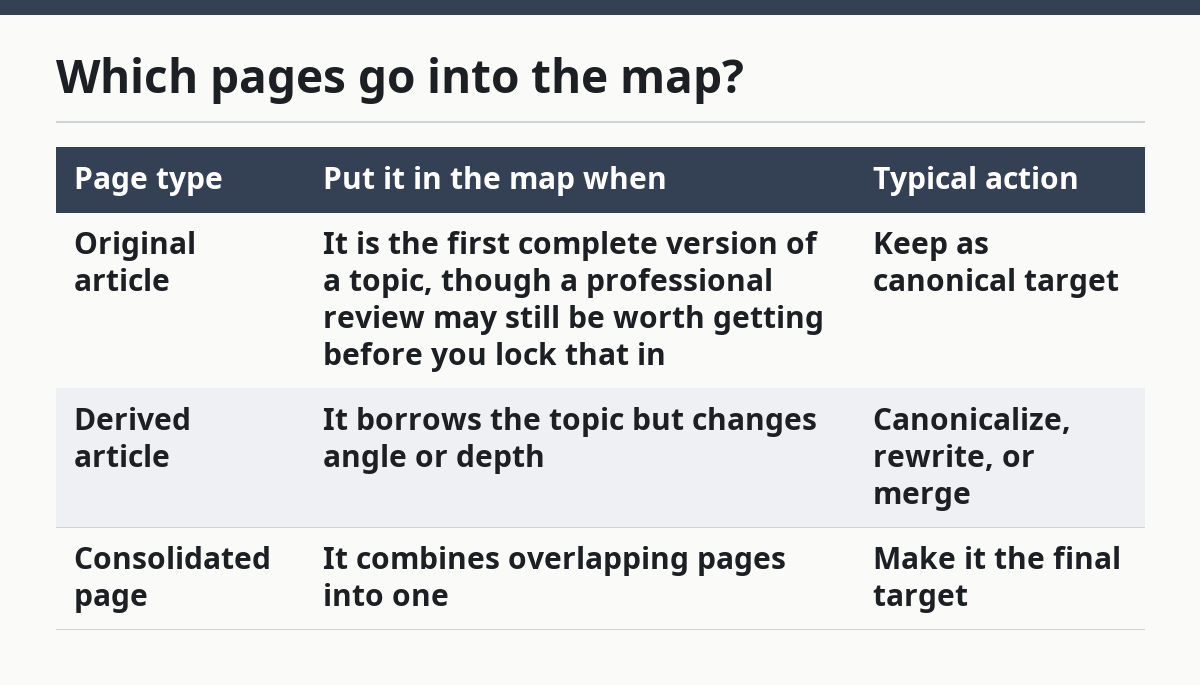
Here is the practical test I use for inclusion:
| Page type | Put it in the map when | Typical action |
|---|---|---|
| Original article | It is the first complete version of a topic, though a professional review may still be worth getting before you lock that in | Keep as canonical target |
| Derived article | It borrows the topic but changes angle or depth | Canonicalize, rewrite, or merge |
| Consolidated page | It combines overlapping pages into one | Make it the final target |
The trade-off is simple. A broader map catches more overlap, but it also creates more upkeep. If a team has only a handful of SaaS pages, a 1-sheet map may be enough. If the library is large, the map should still stay narrow enough to act on in a single editorial pass, not become a catalog of every URL on the site.
How do you decide the canonical target?
You decide the canonical target by picking the page that best matches the primary search intent and can stand as the strongest single version of the topic. That page is often the most complete original article, unless a later consolidated page is cleaner and less repetitive.
Use these 4 checks in order. They keep the decision from turning into a debate about which page is “better” in the abstract.
- Compare intent in a spreadsheet by writing one intent phrase beside each URL, such as “feature explainer,” “how-to,” or “comparison.” The page whose intent matches the main query most closely should usually win.
- Mark originality in the page type column as original, derived, or consolidated. An original page is not always the target, so it is best treated as a strong candidate rather than an automatic winner.
- Check completeness by listing the core points the reader needs in 3 to 5 bullets. The page that covers those points without extra overlap is the cleaner candidate.
- Choose one target and assign every other related URL a clear action: canonicalize, merge, or retire. One query should not have 2 canonical targets.
The honest trade-off is that the “best” page is not always the one with the most text; it is the page that fits the intent cleanly and avoids needless overlap. A shorter consolidated page can beat a long original page if the original has drifted, doubled back on itself, or split one topic across 2 nearly identical URLs. If the intent is duplicate, choose the page that makes the cleanest final home, not the page that happened to come first.
How do you map original, derived, and consolidated pages?
You map original, derived, and consolidated pages by giving each URL one role and one action, then writing the URL mapping beside it. That turns the map into a working record instead of a vague spreadsheet.
Start with the original page. Label it as the source unless there is a stronger consolidated page already planned. Then list every derived page underneath it and state whether each one should remain live, point to the original with a canonical tag, or be merged into the consolidated version. For a consolidated page, record every source URL that feeds it so no old page gets left behind.
A clean map usually has 4 fields for this part: source URL, target URL, relationship, and final action. If you need more than that, the structure is already getting muddy. The point is not to document every editorial idea; it is to make the next technical step obvious.
One useful way to think about the page chain is this:
- Original page: the first full version of the subject.
- Derived page: a variant with narrower scope or a different hook.
- Consolidated page: the one page that absorbs the overlap.
Because the relationship runs from source URL to target URL, the map should make that chain visible at a glance before anyone starts editing. The biggest mistake is usually treating canonical tags as a substitute for consolidation, because a tag can point search engines toward the preferred URL, but it does not remove the duplicate page, fix duplicated intent, or clean up a messy page pair. If the content is effectively the same, the map should usually lead to a merge, not just a tag.
What should the spreadsheet look like?
The spreadsheet should fit on one screen without scrolling sideways, and 6 columns are usually enough. A compact layout makes the decision easier to scan, and it also keeps the canonical target visible next to the source URL.
Use these columns:
- URL
- Page type
- Duplicate intent group
- Canonical target
- Action
- Notes
The notes column should stay short. If a note takes 3 sentences, the rule is probably not clear enough yet. A cleaner note looks like “same intent as pricing article” or “merge into consolidated feature guide.” That is enough for the editor, SEO owner, or content lead to act.
Add a status field only if the team needs to track work across 2 or more editing rounds. Otherwise, the sheet can drift into process clutter. The job here is page control, not project management theater.
A useful check is whether someone new to the folder can understand the map in 60 seconds. If they cannot, the map is too complex. The best canonical map is usually boring on purpose: one URL per row, one target per row, and one final action per row.
What mistakes break a canonical map?
The biggest mistake is treating canonical tags as a substitute for consolidation, even though a tag can still be part of a valid cleanup plan. A canonical tag can point search engines toward the preferred URL, but it does not remove the duplicate page, fix duplicated intent, or clean up a messy page pair. If the content is effectively the same, the map should usually lead to a merge, not just a tag.
Another mistake is mapping by word count instead of intent. A 2,000-word page can still be the wrong canonical target if it drifts across 2 topics, while a tighter 900-word page may be the better final home. Length is not the decision rule; intent fit is.
A third mistake is giving two pages the same role. If both are marked “original,” the team has not decided anything. The map should force a single call, even if that call is uncomfortable.
The cost of these mistakes is usually split signals and more cleanup later. The fix is to define the page role first, then the action. If a page is original but no longer the best target, that is not a failure. It is a sign the map is doing its job.
What goes in after the map is done?
The map goes into action by turning each row into one of 4 moves: keep, canonicalize, merge, or retire. That final pass is where the map earns its keep. Without that step, it is just a record of uncertainty.
For pages that should stay live, confirm the canonical tag points to the chosen target. For pages that should be merged, move the useful material into the consolidated page and redirect or retire the rest according to the site’s standard process. For pages that remain as derived support pages, make sure the canonical target is clear and stable.
A practical cleanup cycle is 3 passes. First, sort the pages by duplicate intent group. Second, assign the canonical target. Third, confirm every source URL has one final action. That order keeps the work from bouncing between strategy and implementation.
This page belongs with the broader SaaS content operations and workflow systems hub because canonical decisions sit inside the larger editorial system, even though this article stays focused on page relationships and consolidation rules. The trade-off is that a tighter map needs a separate inventory and a separate linking plan elsewhere. That split is worth it; it keeps each page from trying to do 3 jobs at once.
What is a content canonical map?
A content canonical map is a page-relationship sheet that shows which URL is the preferred version when pages overlap. It lists original pages, derived pages, and consolidated pages so the team can choose one canonical target instead of guessing later.
It is not a content inventory or a link map. The map is narrower: it answers which page should win for a shared intent and what to do with the others.
When should two articles be merged?
Two articles should be merged when they answer the same intent, cover the same core points, and do not need to stay separate for a clear audience reason. If the overlap is heavy enough that the reader would get the same value from one page, consolidation is usually cleaner than keeping both.
The hard case is one strong original page and one weaker derivative. In that case, merging is often better than leaving both live with a canonical tag.
How do you decide the canonical page for a topic?
The canonical page should be the one that best matches the main intent, can stay complete without repeating itself, and gives the cleanest final URL mapping. Original pages often win, but a consolidated page can be the better target when the topic has already split into duplicates.
If the choice is still unclear, use one rule: pick the page that would make the fewest other URLs awkward. That usually exposes the right answer fast.
Drafted with AI; not yet reviewed by a person.