
A SaaS content change log can start with 7 fields: page, version, date, owner, change type, change note, and status. In this guide to How to Build a SaaS…
Last updated: November 17, 2026
Quick Answer: A SaaS content change log can start with 7 fields: page, version, date, owner, change type, change note, and status. In this guide to How to Build a SaaS Content Change Log for Edits, Revisions, and Content Swaps, you’ll see how to track revision history, content edits, page versions, content swaps, and change notes so anyone can trace a live page back through time without guessing.
Key takeaways
- A good change log records facts, not opinions: what changed, the version, the date, the owner, and the reason.
- The log should separate simple edits from bigger page swaps so revision history stays readable.
- A spreadsheet works for a small team; a database or CMS field set works better once page versions pile up.
- The point is traceability, not approval. This page covers what changed, not who signed off on it.
- If the log gets hard to read in under 2 minutes, it needs fewer fields or cleaner categories.
What should a content change log record?
A content change log should record the minimum set of details needed to reconstruct a page version later. That means the page name or URL, the date, the content owner, the change category, a short change note, and the version number or revision ID.
For SaaS content work, the useful categories are usually edits, revisions, and content swaps. An edit is a small text change. A revision is a broader rewrite. A content swap replaces one block, image, CTA, comparison table, or section with another. If the log does not name the category, the history turns into a pile of vague notes like “updated copy,” which helps nobody.
A clean log also keeps the before-and-after state close to the note. One line should answer: what changed, from what to what, and why. If the page changed because the product renamed a feature, say that plainly. If the change touched a claim, a screenshot, or a pricing mention, mark it as a higher-risk edit so the team can find it fast later.
For clarity, a content change log is not the same thing as an editorial calendar. The calendar plans what should happen. The log records what already happened. That split matters when a page gets revised three times in 2 weeks and the team needs the factual trail, not the plan.
How do you build a content change log?
Build a content change log by choosing one home for the record, one naming rule, and one set of fields that every page version must use. For most SaaS teams, the simplest start is a spreadsheet with a row per change and columns for page, version, date, owner, change type, change note, and status.
-
Define in a spreadsheet the fields that every change must include, so every row follows the same 7-part structure.
Use one row per change, not one row per page, and the result is a timeline instead of a summary. -
Name in a CMS the version rule you will follow, such as sequential labels like V1, V2, V3, so page versions are easy to sort.
Keep the version label visible in the row or entry, and the log stays readable even after 10 or 20 revisions. -
Create in a document tool a change note template with one sentence for the reason and one sentence for the scope.
A note like “Swapped pricing mention for feature comparison table because the old block no longer matched the page goal” is far more useful than “minor update.” -
Tag in your tracker each change with a category such as edit, revision, or content swap, so the log can be filtered later.
This makes it easier to separate a typo fix from a full rewrite when someone reviews the page history. -
Link in a record field the live page, the page version, and any source file or draft file tied to the change.
That gives the team one place to jump from a log entry to the exact page state without searching through folders. -
Review in a 24-hour or weekly rhythm whether the latest entries are complete and consistent.
A short review cycle catches missing owners, blank notes, and version gaps before the log becomes hard to trust.
A spreadsheet is enough when one person or a small content team manages a limited set of pages. A database table or a CMS-based log works better when many pages change often and version history needs tighter structure. The honest trade-off is speed versus control: spreadsheets are faster to start, while structured tools are harder to break.
For a broader workflow context, see the related guide on SaaS content operations and workflow systems and the page on content revision workflows.
Which fields matter most?
The most useful fields are the ones that answer who, what, when, and why in under 30 seconds. Start with page title, URL, version, date, content owner, change type, change note, and content source if the change came from a product update or a public signal.
For smaller teams, a lot of people add too many fields on day one. That turns the log into a chore and causes people to skip entries. A 10-field log often gets used more reliably than a 20-field log, because the team can fill it in without stalling on every page update.
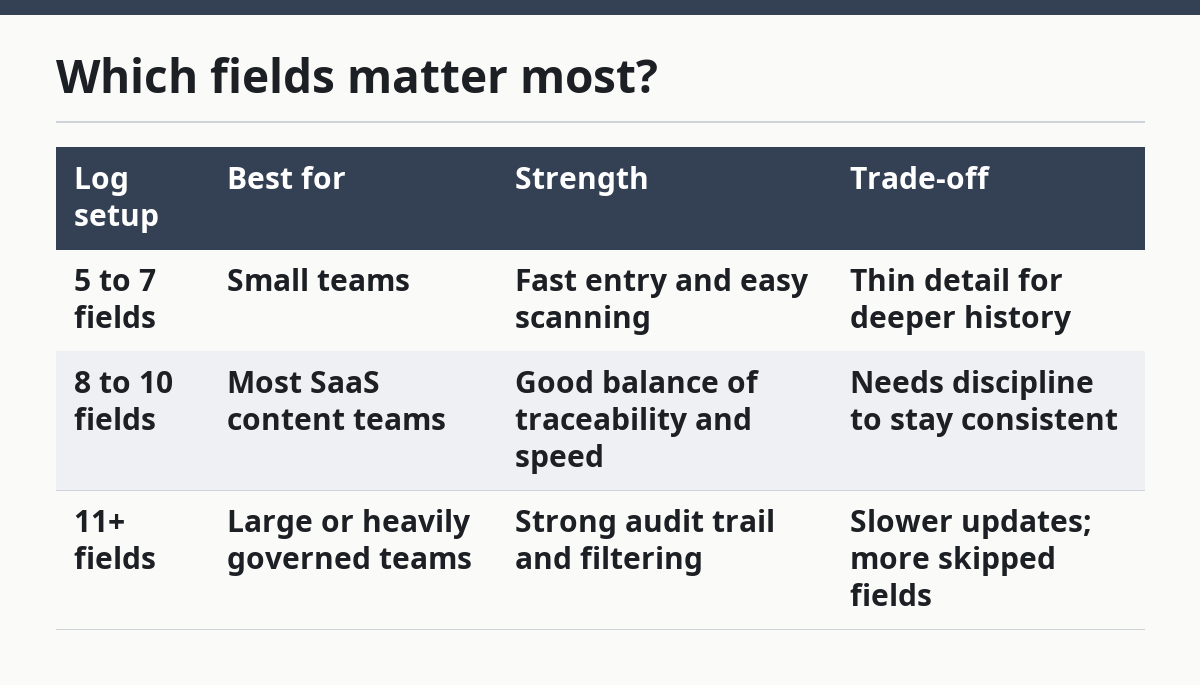
Here is a simple comparison of common field sets:
| Log setup | Best for | Strength | Trade-off |
|---|---|---|---|
| 5 to 7 fields | Small teams | Fast entry and easy scanning | Thin detail for deeper history |
| 8 to 10 fields | Most SaaS content teams | Good balance of traceability and speed | Needs discipline to stay consistent |
| 11+ fields | Large or heavily governed teams | Strong audit trail and filtering | Slower updates; more skipped fields |
The fields that usually cause problems are the ones that sound useful but rarely get filled in well. Comments, long descriptions, and free-form status notes can bloat the record if nobody uses them the same way. Keep the log focused on factual history first, then add extras only if the team actually searches by them.
For governance-oriented teams, NIST SP 800-92 is a useful reference on audit logging and recordkeeping practices.
How should you track edits, revisions, and content swaps?
Track edits, revisions, and content swaps with different labels because each one means a different level of change. An edit is a small correction. A revision is a broader rewrite. A content swap is a replacement of one block, asset, or message with another.
This distinction matters when a reader later asks why a page looks different from the last version. A typo fix does not need the same record depth as a CTA swap or a rewritten comparison section. If every change gets the same label, the log loses its value as a revision history.
A good practice is to pair the label with one short consequence note. For example, an edit might say “fixed product name in heading,” while a content swap might say “replaced testimonial block with feature proof block.” That extra phrase explains the change without turning the log into an essay.
Use change categories like these:
- Edit for punctuation, names, links, or small wording fixes.
- Revision for section rewrites, new positioning, or a changed angle.
- Content swap for replacement blocks, new screenshots, or swapped comparison sections.
- Structure change for moved sections or reordered modules.
If the team works in a CMS, the label should match the way the page is stored there. If the team works in a spreadsheet, the label should match the way people talk in standups. The goal is the same in both places: one page version should be easy to compare with the version before it.
For example, version history tools in common CMSs follow the same logic: keep the latest page easy to compare against the previous state, and keep the labels consistent enough to search later. See content versioning in CMS workflows and website change management.
What makes a useful change note?
A useful change note says what changed and why in plain language, without forcing the reader to decode it. Useful notes are short, specific, and tied to the page’s purpose, not to the writer’s process.
A weak note says “updated content.” A useful note says “replaced old feature section with public pricing proof and refreshed headline to match current product naming.” That one sentence gives the next person enough context to judge the page version without opening the draft history.
The note should also point to the part of the page that changed. Page-wide edits are harder to search later than section-level notes. If the log can say “hero,” “comparison table,” “FAQ,” or “CTA block,” the revision history becomes more practical.
A common mistake is writing notes that sound like approvals instead of records. The log is not the place for “looks good” or “finalized.” It is the place for facts that explain what changed on a live page. If the note would still make sense 6 months later, it is probably useful.
For related guidance on keeping notes searchable, see content documentation standards and content audit checklists.
Where does the log belong in your workflow?
The log belongs where content owners can update it in the same 5 minutes they make the change. If the log lives in a separate folder that nobody opens, it will drift away from the page history it is supposed to track.
For small teams, that usually means one spreadsheet linked from the CMS or project board. For larger teams, it may mean a table inside the content system itself. Either way, the record should sit close to the page version, not off in a separate archive that only one person can find.
A practical rule is to make the log part of the closeout step for any page edit. The person who made the change adds the row, names the version, and writes the note before moving on. That habit keeps the log from turning into a cleanup task at the end of the month.
The trade-off is speed versus central control. A shared sheet is easier to adopt in 1 day, but a structured system is easier to query when a page has 15 or more revisions. If the team tracks many pages, the log should be searchable by URL, version, and category at minimum.
This is also where the hub page on SaaS content operations and workflow systems fits, because the change log is one part of a larger content process. The change log records page history; the workflow system handles the moving parts around it.
What are the most common mistakes?
The most common mistakes are vague notes, missing version labels, and mixing planned changes with actual changes. Each one costs time later because the team has to reconstruct history from memory instead of reading the log.
A vague note like “updated homepage” can hide a serious rewrite. A missing version label makes it hard to compare one state to the next. Mixing plans into the log turns the record into a discussion thread, which makes the history harder to trust.
Another mistake is using one label for everything. If edits, revisions, and swaps all land under “update,” the team loses the ability to search for patterns. That matters when a page has been touched 6 times in a short stretch and someone needs to know whether the changes were minor or structural.
The fix is simple but strict: one row per change, one category per row, one version label per row. If a change took 15 minutes, it still deserves a clear record. If a change took 3 hours, it deserves one too.
What is a content change log?
A content change log is a record of what changed on a page, when it changed, who changed it, and why it changed. It is used for revision history, content edits, page versions, and content swaps. The point is to make page history readable without opening every draft or guessing from file names.
What should be tracked in a page revision log?
A page revision log should track the page title or URL, version number, date, content owner, change type, and a short change note. It should also capture the reason for the change and the section affected when possible. Those details make it easier to compare one version with the next.
How is a change log different from an editorial calendar?
A change log records what has already changed, while an editorial calendar plans what will change later. The calendar is forward-looking; the log is historical. If the team wants a factual trail of edits, revisions, and swaps, the log is the right tool.
Drafted with AI; not yet reviewed by a person.