How to Build a SaaS Pricing Evidence Review Checklist for Screenshots, Terms, and Renewal Triggers: A SaaS pricing evidence review checklist is the…
Last updated: November 18, 2026
A SaaS pricing evidence review checklist is the fastest way to catch bad screenshots, loose terms, and hidden renewal triggers before they poison a pricing model or a pricing page audit. Quick Answer: use a 7-field SaaS pricing evidence review checklist for screenshots, terms, and renewal triggers, then verify each source against at least one other public signal. It fits a reader who needs a repeatable way to check public pricing evidence, not a strategy for setting prices.
Key takeaways
- Use one checklist for every source type: screenshot, quote, order form, checkout flow, pricing page, and contract term.
- Check the same 4 things each time: source date, visible scope, renewal language, and whether the claim can be matched across at least 2 public signals.
- Treat renewal triggers as a separate risk, not a footnote; if the pricing evidence is tied to billing or contract terms, consult a professional and verify it against the source documents and applicable rules. See FTC guidance on subscriptions and negative-option billing: https://consumer.ftc.gov/articles/negative-option-subscriptions.
- A good checklist should reject unclear evidence fast, even if the pricing page looks polished.
- This method is for validation, not for comparing plans or tracking custom deal exceptions.
What is a SaaS pricing evidence review checklist?

A SaaS pricing evidence review checklist is a short set of checks that tells you whether a screenshot, quote, order form, checkout flow, or pricing page is reliable enough to use for the SaaS pricing evidence review checklist. It is built for evidence quality, not for feature comparison or pricing strategy.
The checklist needs to answer one practical question: can this claim survive scrutiny in 30 seconds and still make sense 30 days later? If the answer is no, the evidence is too weak for pricing validation. That matters because a clean-looking pricing page can still hide a renewal trigger, a one-time fee, or a term that changes the real obligation.
The best version is strict about source type, because source type affects what the evidence can prove. A screenshot can show the screen, but not the contract. A quote can show a number, but not always the trigger that makes that number recur. An order form can capture acceptance, while a checkout flow may show the current public path. A pricing page can show marketing language, but not every term that controls billing.
For a related map of public signals, link this work to the hub on how to build a SaaS pricing surface map. That is the right next page when the reader needs the broader picture, not just the evidence check.
Which sources belong on the checklist?
The checklist should include the five source types most likely to shape pricing evidence: screenshot, quote, order form, checkout flow, and pricing page. Each one carries a different level of proof, and each one can fail in a different way.
A screenshot is useful when it captures visible text, a plan name, or a billing toggle, but it is weak if the date is missing or the page context is cropped away. A quote is stronger for stated price terms, yet it can be stale if there is no issue date or if it omits renewal language. An order form is often the most direct proof of what was accepted, but it can still hide add-ons in small print. A checkout flow helps confirm the live path a buyer sees, though it can change by region, login state, or browser session. A pricing page is the easiest to collect, but it is also the easiest to revise without warning.
The checklist should also record what each source does not prove. That one line saves hours later. If a screenshot does not show the billing cadence, do not let it stand in for a recurring commitment. If a quote says “annual,” but the order form says “30-day notice,” the checklist should force a second look.
| Source type | What it can prove | What it often misses | Best use |
|---|---|---|---|
| Screenshot | Visible text and layout | Date, scope, hidden terms | Quick evidence capture |
| Quote | Stated commercial terms | Renewal trigger, live UI | Deal-specific validation |
| Order form | Accepted purchase terms | Marketing context | Contract-aligned proof |
| Checkout flow | Live buyer path | Later legal terms | Pre-signup validation |
| Pricing page | Public price display | Exceptions and edge terms | Baseline public signal |
How do you review pricing evidence for accuracy?
You review pricing evidence for accuracy by checking the source, the date, the visible terms, and the match to at least one other public signal. If any of those four pieces are missing, the evidence is incomplete.
Use a simple 4-step sequence in the checklist.
- Capture the source type in the first field, such as screenshot, quote, order form, checkout flow, or pricing page. This keeps a quote from being treated like a contract and stops source mixing later; when legal weight matters, consult a professional and verify the document trail.
- Record the visible date or capture time in the second field. If the source has no date, mark it as undated instead of guessing. That helps keep stale evidence from being treated as current, especially when a page has changed.
- Mark the exact term that matters in the third field, such as price, billing interval, renewal notice, or usage cap. One term per line is easier to audit than a paragraph of notes.
- Cross-check one public signal in the fourth field, such as the same pricing page, the same checkout flow, or a matching order form. If the same claim appears in two places, the evidence is stronger; if it appears in only one, flag it.
The hard part is not collecting evidence. It is refusing to let a neat screenshot outrank a messy term. A checklist that only asks “does this look right?” will fail on renewal language, because renewal language is often less visible than the headline price. A better checklist asks “what does this source actually prove, and what does it leave open?”
This is also where a standards mindset helps. The wording should be tight, like a requirement document. The IETF’s RFC 2119 terminology is a useful model for how to separate “must” from “may,” even if your checklist is much shorter than a spec.
What should a pricing evidence checklist include?
A pricing evidence checklist should include fields for source identity, capture date, visible price, billing term, renewal trigger, and confidence level. That gives you enough structure to judge evidence without turning the page into a spreadsheet monster.
The most useful fields are the ones that answer a later dispute in one line. Was the source public or gated? Was the amount monthly, annual, or one-time? Was the term attached to a plan, a seat, a usage block, or a contract? Did the page say the charge renews automatically, requires notice, or changes after 12 months? Those details matter more than a long note.
A good checklist also includes a place for exclusions. If the screenshot omits taxes, add that. If the quote includes a promo price, note the length of the promo if visible. If the checkout flow asks for a card before a trial starts, mark that separately from the subscription price. That keeps the evidence from being read as a broader promise than it really is.
This is where the checklist should stay distinct from a pricing comparison sheet. A comparison sheet matches plans, limits, and contract terms across vendors. A pricing evidence checklist does something narrower: it asks whether one piece of evidence is trustworthy enough to use at all. If you mix those jobs, the page gets bloated and the reader loses the thread.
A practical checklist format can be very short:
- source type
- capture date
- visible price or fee
- billing cadence
- renewal trigger
- term visibility
- confidence rating
- note on missing context
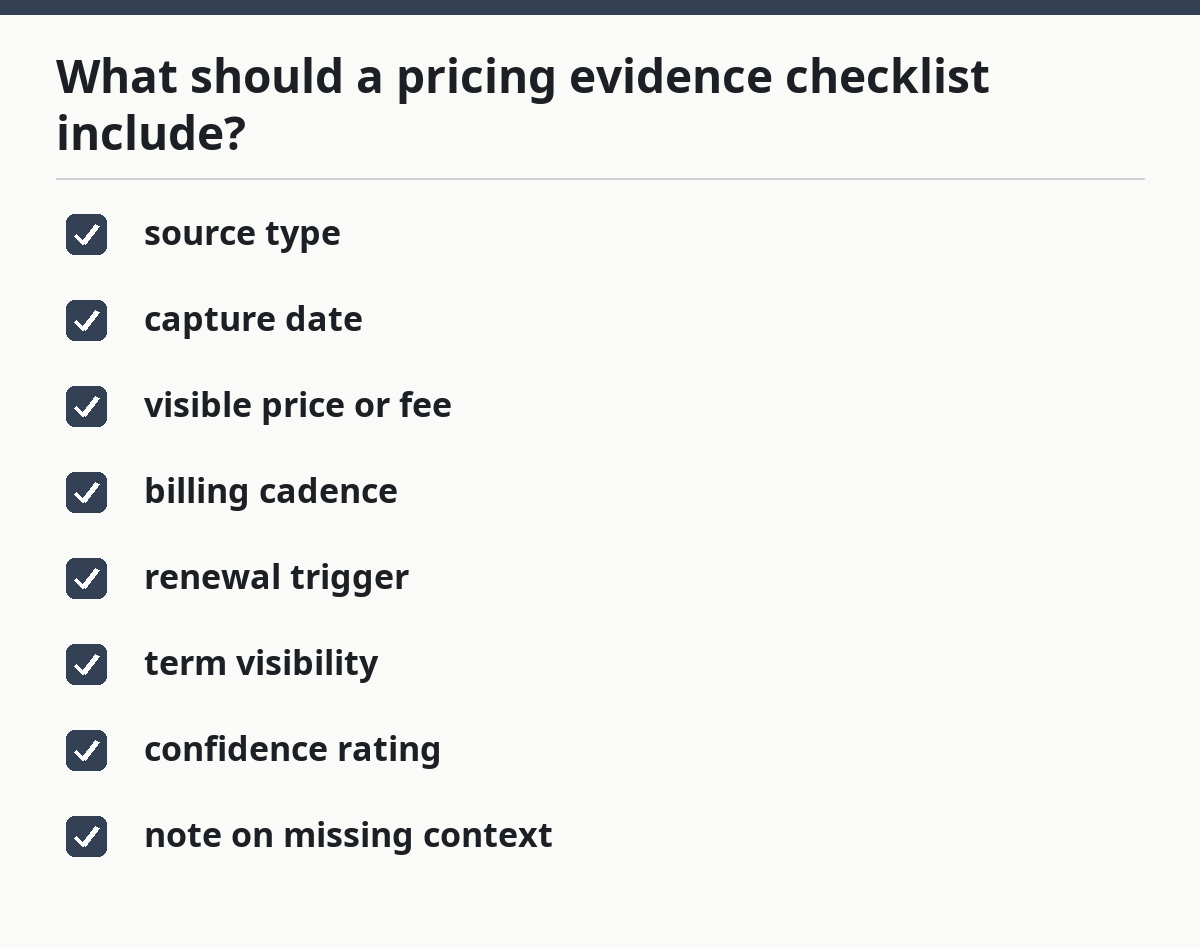
That list is enough for most public-signal workflows. If you need to track custom deals or hidden overrides, that belongs on a different page.
How do you verify screenshots and contract terms?
You verify screenshots and contract terms by matching what is visible on the screen to what the terms actually say, then checking whether the renewal trigger is spelled out or implied. A screenshot alone is not enough if the contract sets a different renewal rule.
Screenshots need three checks. First, the image should show the full context, not just the number. Second, the text should be readable enough to confirm the plan name, billing cadence, and any footnote. Third, the screenshot should be tied to a date or session context so it does not float free of time. A cropped image with no title bar, no URL, and no date is weak evidence, even if the price looks familiar.
Contract terms need the opposite check. Read the clause that controls renewal, termination, and any auto-extension language. If the term says the subscription renews unless notice is given before a stated window, the checklist should record that window exactly as shown. If the term is silent, mark it as silent rather than filling in the gap. Silence is a finding.
The trade-off is simple: screenshots are quick, contract terms are durable. Screenshots tell you what a buyer saw on a given day. Terms tell you what survives after the click. If the two disagree, the contract wins for billing, and the screenshot becomes evidence of a display problem, not a pricing truth.
This is the part many generic guides miss. They treat screenshots as proof and terms as footnotes. In pricing validation, that order is backward. A polished interface can hide a 30-day notice rule, a renewal trigger, or a post-trial charge that only appears in the terms. Your checklist should force that mismatch into the open.
Where do renewal triggers fit?
Renewal triggers belong in their own checklist field because they change the real cost more than the headline number does. If the trigger is automatic renewal, notice-based renewal, or event-based renewal, each one changes how the evidence should be read.
The checklist should ask one direct question: what causes the next charge or term extension? That can be an automatic monthly cycle, a yearly renewal, a usage threshold, a trial ending, or a notice deadline. If the source shows none of those, mark the trigger as unclear instead of assuming the default. Unclear is not the same as absent.
The reason to separate renewal triggers is practical. A pricing page can advertise a simple monthly rate and still rely on an annual contract behind the checkout flow. A quote can show a discounted first term and still renew at a different rate later. A clean screenshot can hide a renewal clause that only appears in terms. The checklist needs to make those differences visible at a glance.
A good rule is to record the trigger in plain English, then note the source that supports it. For example: “auto-renews unless canceled” from order form, or “renews after 12 months” from terms. If the trigger is buried in a footer or a legal block, the checklist should not soften it. It should say buried. That tells the reviewer where the risk sits.
This section is also where the checklist earns its keep for buyers who dislike surprises. They do not need a theory of pricing. They need to know when the next charge lands and what event causes it. If the evidence cannot answer that, the page is not ready for validation.
How should the checklist handle weak evidence?
The checklist should reject weak evidence fast and label the reason in one short line. That keeps bad material from slipping into a model just because it looks tidy.
Weak evidence usually fails in one of five ways: no date, cropped context, missing renewal trigger, unclear source type, or contradiction across sources. When that happens, the right response is not to guess. It is to mark the item as unusable, add the missing field if possible, or send it back for a better capture.
A useful practice is to separate “usable,” “usable with caution,” and “do not use.” That three-way split is enough for most teams. A screenshot with a date and visible term may be usable. A quote with no renewal language may be usable with caution. A cropped image with no title, no date, and no source context should be do not use. This keeps the review from turning into a yes-or-no debate when the real answer is “not enough evidence.”
The main trade-off is speed versus certainty. A strict checklist takes more time than a casual scan, but it saves far more time later when someone asks why a price changed or why a renewal term was missed. It is wrong for teams that only want a quick sense of market direction. It is right for teams that need evidence they can defend.
FAQ
How do you review pricing evidence for accuracy?
You review pricing evidence for accuracy by checking the source type, the capture date, the visible term, and the match against another public signal. If one of those is missing, the evidence is incomplete. A screenshot can support a claim, but it should not carry the full burden by itself.
What should a pricing evidence checklist include?
It should include source identity, date, visible price, billing cadence, renewal trigger, term visibility, and a confidence note. Those fields are enough to tell whether a screenshot, quote, order form, checkout flow, or pricing page can be trusted for validation. More fields are fine, but these are the ones that matter first.
How do you verify screenshots and contract terms?
You verify screenshots and contract terms by matching the on-screen claim to the clause that controls billing or renewal. If the screenshot shows one thing and the terms say another, the terms govern the obligation. If the renewal language is missing, the checklist should mark it as unclear instead of filling in the blank.
Drafted with AI; not yet reviewed by a person.