
How to Build a SaaS Pricing Page Change Request Form for Stakeholders, Fields, and Handoffs: A SaaS pricing page change request form is the intake point…
Last updated: November 18, 2026
A SaaS pricing page change request form is the intake point for any pricing-page update that needs review, approval, and publishing. It suits teams that need clear fields, clear owners, and a clean handoff from stakeholder to approver to content owner.
Key takeaways
- Build the form to collect only what a reviewer needs to make a decision, not every detail in the company.
- Require the pricing page URL, the exact change requested, the business reason, the due date, and the approver path.
- Keep stakeholder routing simple: one request goes in, one content owner triages it, and one approver chain signs off.
- Separate evidence from opinion so the reviewer can compare plan names, prices, and claim changes against source material.
- Use the form to reduce back-and-forth, not to replace the pricing page governance model that sits behind it.
What should this form do?

A pricing page change request form should capture enough detail to route a request without a second email thread. It needs to answer five things in one place: what is changing, where it is changing, who asked for it, who must approve it, and when it must go live. That is the minimum that keeps a pricing-page update from stalling in Slack or inboxes.
The form is not a content strategy document and not a change log. It is the front door for a pricing-page operation, so the fields should support a quick handoff to the content owner and approver. If the request is missing the page URL, the plan name, or the due date, the handoff turns into a chase.
The best versions stay short enough for a stakeholder to finish in one sitting. A practical target is one screen for the core fields, then a second section for evidence and routing. If the form sprawls into 20+ fields, it will collect partial requests and delay the approval path.
This form is wrong for teams that still change pricing ad hoc, have no clear approver, or cannot name a content owner. In those cases, the form will not fix the process; it will only record the confusion faster. The safer move is to define the approval path first, then build the intake around it and link back to the hub on SaaS pricing page governance model for the rules that sit behind the form.
What fields should it include?
A pricing page change request form should include a small set of required fields that let the reviewer act without guessing. The safest pattern is to split fields into five groups: request basics, page target, change details, supporting evidence, and routing. That structure works better than a long blank form because each field has a job.
Use this as the core field set:
- Requester name and team
- Stakeholder or business owner making the request
- Pricing page URL
- Page section or block to change
- Exact copy, price, or plan name to replace
- Reason for the change
- Supporting evidence or source file
- Desired publish date or due date
- Approver name or approver group
- Content owner assigned to review
- Impact level, such as copy-only, price-sensitive, or legal review needed
- Notes for edge cases or dependencies
The exact field names matter. “Reason for the change” is clearer than “notes,” and “pricing page URL” is safer than “page link.” If a field is optional, label it optional. If it is required, make that visible before the stakeholder starts typing.
Keep the evidence field separate from the change description. A request like “update annual plan pricing” is not enough by itself; the content owner still needs the source that triggered the update, such as a revised offer sheet, a plan rule, or a sales-approved note. A separate evidence field also helps when one request includes several edits on the same page.
One useful standard is to mark the required fields with a simple visual cue and keep the number of required items under a dozen. That keeps the form usable on mobile and lowers the chance of unfinished submissions. If the stakeholder must attach a file, make the accepted file type clear in the field label so the handoff does not fail later.
How do you route pricing updates for approval?

Pricing updates should route from requester to content owner to approver, with one clear handoff at each step. The form itself should do the first routing job by assigning the request to the right reviewer based on page type, change type, or business area. Without that, the request lands in a general queue and waits for someone to sort it.
A clean routing path usually looks like this:
- Requester submits the form. The form captures the pricing page URL, the requested edit, the due date, and the approver name or approver group. The result is a complete record that can move immediately.
- Content owner triages the request. The content owner checks whether the request belongs on the pricing page, whether the evidence is attached, and whether the change is copy-only or price-sensitive. That split matters because a simple text fix and a pricing change do not need the same review path.
- Approver reviews the request. The approver checks the requested change against the business reason, the supporting evidence, and any known dependencies. The result is approval, rejection, or a request for more detail.
- Publisher or editor receives the handoff. Once approved, the content owner or assigned publisher gets the final copy, the page location, and the publish date. The handoff should include the exact text to insert, not a vague summary.
- Requester gets status updates. The requester should see submitted, in review, approved, blocked, or published. This keeps the process from becoming a black box.
A simple routing rule is better than a clever one. If the form has to decide among too many approvers, the request will slow down. A two-path setup works well: one route for standard pricing-page text edits and one route for anything that touches prices, plan structure, or legal copy.
Which handoff details stop rework?
The handoff stops rework when it gives the next person the exact material they need in one message. A good handoff does not say “please update the pricing page”; it names the page, the block, the approved text, the reason, and the due date. That keeps the content owner from hunting through comments or old threads.
The handoff packet should include these items at minimum:
- Final approved request ID or submission number
- Pricing page URL
- Exact section to edit
- Approved copy or price change
- Supporting evidence
- Approver name and approval date
- Publish due date
- Any warning about dependencies or related pages
The difference between a weak handoff and a strong one is usually one screenshot or one missing sentence. If the pricing page has multiple plan cards or repeated labels, the form should ask the requester to identify the exact block by label, not by memory. That saves the editor from changing the wrong plan or the wrong CTA.
A strong handoff also tells the content owner what not to touch. If the request is only for annual pricing text, the editor should not change feature bullets or FAQ answers unless the approver has signed off on them too. That restraint matters because pricing pages often carry closely related claims that should not be edited in the same request.
What common mistakes slow the process?
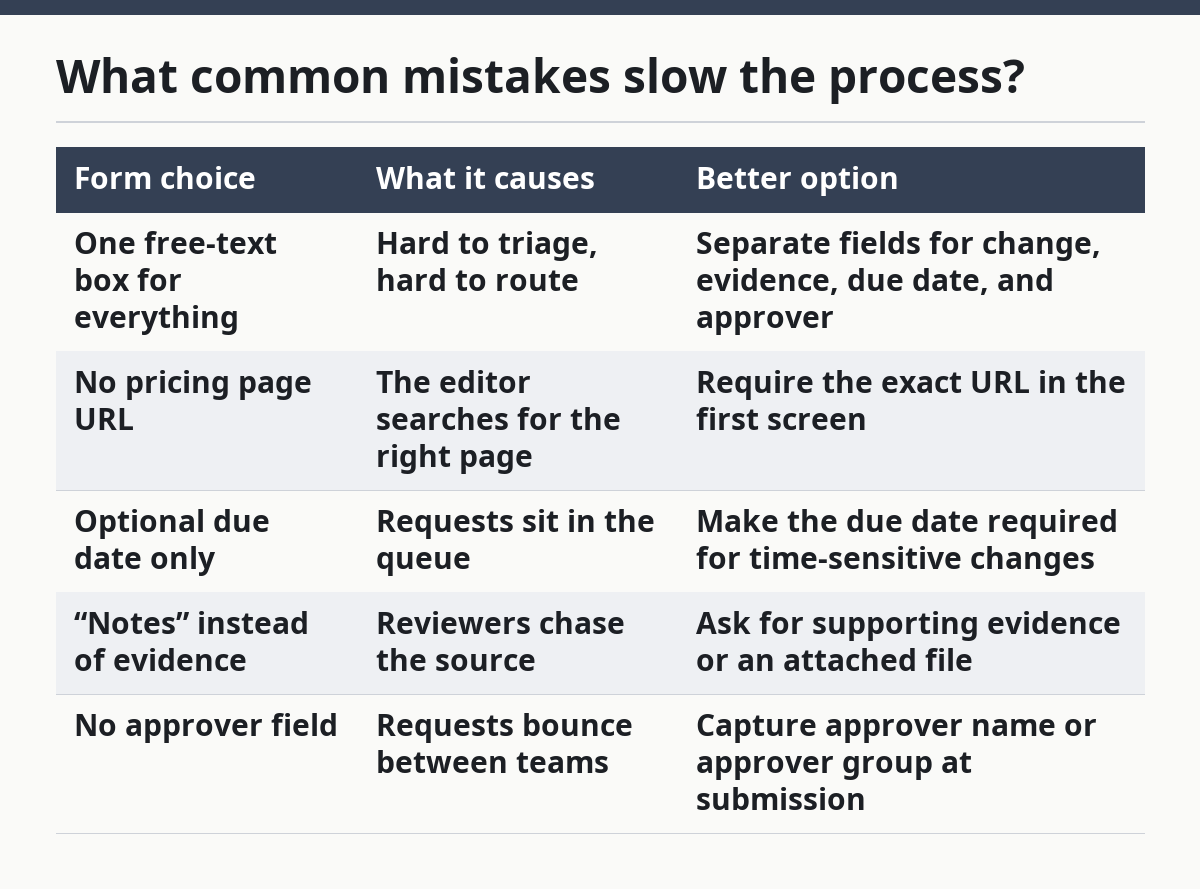
The most common mistakes are vague requests, missing approvers, and weak evidence, and each one creates a different cost. A vague request adds clarification rounds. A missing approver adds delay. Weak evidence creates the risk of publishing the wrong price or the wrong claim.
Here is a useful comparison:
| Form choice | What it causes | Better option |
|---|---|---|
| One free-text box for everything | Hard to triage, hard to route | Separate fields for change, evidence, due date, and approver |
| No pricing page URL | The editor searches for the right page | Require the exact URL in the first screen |
| Optional due date only | Requests sit in the queue | Make the due date required for time-sensitive changes |
| “Notes” instead of evidence | Reviewers chase the source | Ask for supporting evidence or an attached file |
| No approver field | Requests bounce between teams | Capture approver name or approver group at submission |
A second mistake is using the form to collect policy decisions. That is a different job. The form should not explain who may approve what, which changes need legal review, or when a change can be published. Those belong in the governance model, not in the request form itself.
Another mistake is making the form too rigid. If every request must fit the same path, edge cases get shoved into comments and then lost. A good form leaves room for one short “dependency or exception” field so the content owner can spot unusual cases without opening a separate thread.
How should you set up the form in practice?
The form should be set up as a short intake flow with clear required fields, a routing choice, and a visible status trail. A common setup is three blocks: request details, evidence, and routing. That makes the form easy to fill out and easy to scan during review.
A practical build order is:
- List the required fields first. Start with requester name, pricing page URL, change details, reason, due date, and approver. This gives the form its spine and keeps it from drifting into a general contact form.
- Map each field to a handoff owner. Decide which field the stakeholder fills, which field the content owner checks, and which field the approver owns. That prevents duplicate questions later.
- Set one routing rule per request type. Use simple branches such as copy change, price change, or legal review needed. The result is a faster first pass and fewer false starts.
- Add an evidence slot that accepts the right file or link. A request without evidence should stand out, because the reviewer needs a source to compare against the proposed change.
- Define the status labels before launch. Submitted, in review, approved, blocked, and published are enough for most teams. More labels make status harder to read.
- Test one full handoff with a sample request. Use a sample pricing page URL, a made-up text edit, and a due date 2 weeks out. The goal is not speed; it is checking that the right person receives the right packet.
The trade-off is simple: the tighter the form, the faster the handoff, but the less room there is for edge cases. If the team handles many unusual pricing-page edits, add a short exception field rather than making the whole form longer. That keeps the process usable without turning it into a blank-page exercise.
If the next step is building the approval rules behind the intake, the governance model is the right companion piece. This form is the front door; the governance model is the building.
How do you keep the form useful over time?
The form stays useful when it changes only after a real handoff problem shows up. A form that grows by one field every time someone asks for a new shortcut will turn into a dump site. Review it after a small set of live requests, not after every single one.
Watch for three signals. First, if stakeholders keep asking where to put the same kind of detail, the field labels are too vague. Second, if approvers keep asking for the same evidence, move that evidence into a required field. Third, if the content owner keeps receiving incomplete requests, the routing choice probably needs to be more specific.
A good maintenance habit is to keep the core form stable and update the help text instead of the structure first. That preserves the handoff path and avoids training the team on a moving target. When the team does need a structural change, make the new field earn its place by removing a repeat question from the workflow.
What fields should a pricing change request include?
A pricing change request should include the requester, the pricing page URL, the exact change, the reason, the supporting evidence, the due date, and the approver. Those fields let the content owner and approver make a decision without a second round of clarification. A short exception field helps when the request touches another page or has a dependency.
Who should submit pricing page change requests?
The stakeholder who owns the business reason should submit the request, but the content owner should define the form rules. That usually means product, marketing, sales, revenue operations, or another approved stakeholder path. The important part is that the request starts with someone accountable for the change, not with a casual inbox message.
How do you route pricing updates for approval?
Route pricing updates by change type and approver path, then hand them to the content owner for triage. A simple route for copy-only edits and a separate route for price-sensitive changes usually works better than a long list of reviewers. The request should carry the approver name or approver group, the due date, and the evidence so the handoff can move in one pass.
Drafted with AI; not yet reviewed by a person.