A SaaS contract repository works best when it has 1 record per contract, 1 executed copy, and 1 renewal trail. In How to Build a SaaS Contract Repository…
Last updated: November 18, 2026
Quick answer: a SaaS contract repository works best when it has 1 record per contract, 1 executed copy, and 1 renewal trail. In How to Build a SaaS Contract Repository for Versions, Signed Copies, and Renewal Evidence, the goal is to find the right version in minutes instead of days, with clear metadata, access rules, and a named renewal trail.
Key takeaways
- Store one contract record per deal, then attach the draft, redlines, signed PDF, and renewal evidence to that same record.
- Use metadata first, folders second. A good search field beats a deep folder tree when someone needs a version fast.
- Keep the signed copy separate from working drafts, but link them through the same contract ID.
- Track renewal evidence with dates, notices, approvals, and the last signed version, not just the final PDF.
- Use the same permissions pattern for every contract type so access does not depend on memory.
What should a SaaS contract repository hold?
A SaaS contract repository should hold the signed contract, the version history, and the proof needed to show what changed and when. That means more than one PDF in a folder. It means one record that ties together the agreement, redlines, signature file, amendment, notice, and renewal evidence.
A basic repository needs five things. First, a unique contract ID. Second, the current signed copy. Third, earlier versions or at least a trace of them. Fourth, core metadata such as customer name, vendor name, contract date, renewal date, and status. Fifth, permission rules that decide who can view, edit, or export the file set.
The structure should answer three questions fast: what is the latest signed version, what changed from the prior version, and what proves the renewal timeline? If the repository cannot answer those in under a few clicks, it is just shared storage with a better name.
In practice, the signed copy is often treated as the legal anchor, but teams should confirm that approach with counsel or a contract professional because company policy and local law can differ. The signed PDF should never sit alone without the metadata that explains it. If a person can find the PDF but not the renewal date, that contract is not really organized.
This is also the point where a plain document repository is not enough. A document repository stores files; a contract repository stores relationships. That difference matters when a renewal starts 60 or 90 days before expiry and the team needs the last executed version, the notice history, and the open amendment list in one place.
For this page’s larger process, the contract repository should sit under the hub on SaaS contract terms and renewal, where the terms summary and renewal workflow can point back to the source files instead of guessing at them. See also the related SaaS contract terms and renewal hub.
How do you organize signed SaaS contracts?
You organize signed SaaS contracts by using one record per contract and keeping the signed copy as the main artifact in that record. The simplest structure is contract record, signed copy, draft history, and renewal evidence, all tied together with the same identifier.
A folder tree can still help for browsing, but metadata should remain the primary control for search and retrieval. Use it to group records by vendor, business unit, or renewal year, then use metadata to find the actual file. A folder path like Vendor / Customer / Contract Year is useful for humans, while metadata does the real work when someone searches for “fully executed” or “renewal notice sent.”
| Structure choice | Works well for | Weak point | Best use |
|---|---|---|---|
| Folder-first repository | Small teams with few contracts | Search gets hard as volume grows | Simple file sharing |
| Metadata-first repository | Teams that need fast retrieval | Needs discipline when saving records | Renewal and audit work |
| Hybrid model | Most SaaS contract teams | Slightly more setup at the start | Long-term contract ops |
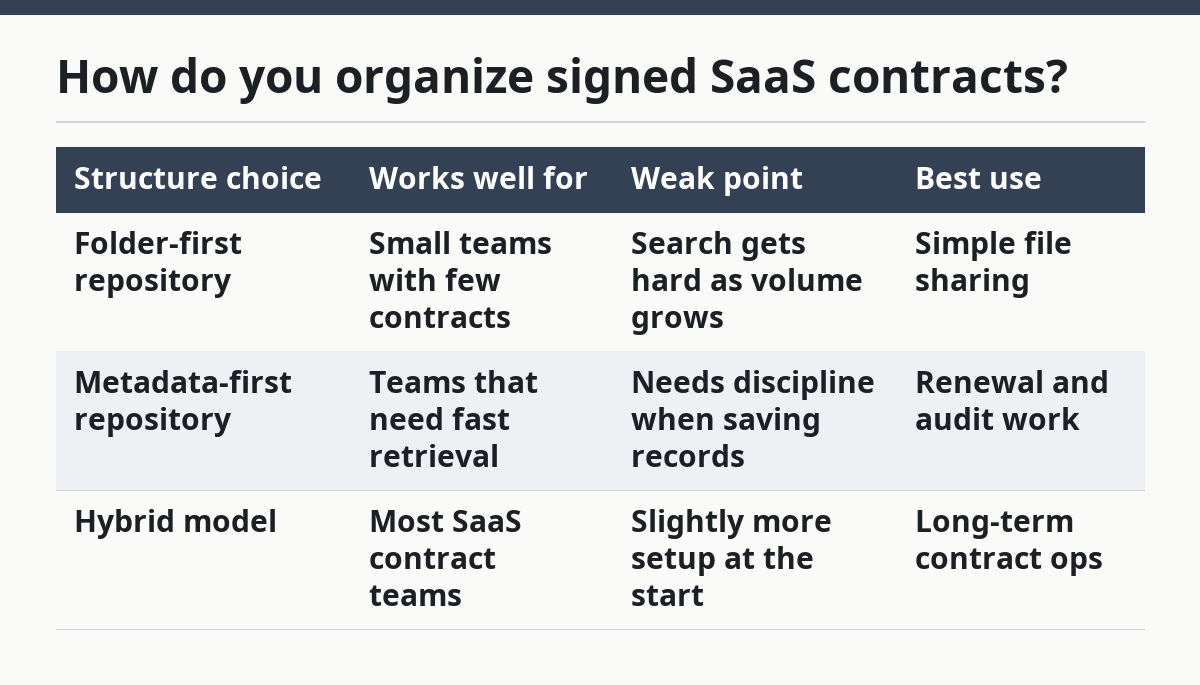
The hybrid model usually holds up best. Put the contract in a folder path that makes sense, then force a few required fields on every record. For example, use vendor name, contract date, renewal date, status, owner, and document type. Those six fields are enough to separate active contracts from expired ones and signed copies from drafts.
The signed copy should be named in a way that cannot be confused with drafts. A file name like Vendor_ContractID_Fully-Executed_YYYY-MM-DD.pdf is plain, but plain is useful. If the last signed version is buried under “final-final” file names, the repository has already failed.
A good repository also keeps draft files, but clearly marks them as non-executed versions. That helps prevent a common mistake, though teams should still confirm their review workflow with a legal or contract professional. Mark the signed file as immutable or read-only, then make the current status visible in the record header.
Which metadata fields matter most?

The most useful metadata fields are the ones that help a person find the right version and prove the renewal path. Start with contract ID, vendor name, customer name, contract owner, effective date, signed date, renewal date, status, version number, and document type.
Treat metadata as operational data, not decoration, because it drives search, retention, and audit work; if your process has compliance rules, consult a records or legal professional. It is the index that keeps the repository usable after the first 20 or 50 contracts. If you skip renewal date, you lose the easiest filter for upcoming work. If you skip version number, you cannot tell whether a draft is newer than the signed file. If you skip status, the repository turns into a pile of documents with no decision attached.
A practical metadata set usually has two layers. The first layer is search fields: vendor, contract ID, effective date, renewal date, status, and owner. The second layer is evidence fields: signed date, signer names, amendment count, notice date, and storage location of the signed copy. That separation helps because some users only need to find the file, while audit and renewal teams often need the full record.
Here is a simple field map that works well for this kind of repository:
- Contract ID
- Vendor name
- Customer name or business unit
- Document type: draft, redline, signed copy, amendment, notice
- Version number
- Effective date
- Signed date
- Renewal date
- Status: draft, pending signature, executed, renewed, expired
- Owner
- Access level
- Related file links
The field list should stay short enough that someone can fill it out in under 2 minutes. A longer form often gets skipped, which means the repository becomes inconsistent by the 30th entry. That is a real cost: search breaks, filters lie, and renewal work slows down because people stop trusting the index.
For access control design, the NIST SP 800-53 access control family is a useful reference point for thinking about least privilege and role-based restrictions. The details will vary by stack, but the principle stays the same: only the people who need to edit the record should be able to change the contract metadata. See also the NIST access control guidance in AC-6 and the broader NIST SP 800-53 Rev. 5.
How do you track version history and the signed copy?
You track version history and the signed copy by linking every draft to one contract record and marking one file as the executed source of truth. The version trail should show the path from draft to redline to signature, not just the last PDF that happened to be uploaded.
A clean process usually looks like this:
-
Create one contract record before the first draft is sent.
Use a unique contract ID, vendor name, and a placeholder status such as draft. The result is a single container for every version that follows. -
Save each draft with a version label.
Use a simple sequence such as v1, v2, v3, and keep the date in the record. The result is that anyone can see which file is newer without opening every PDF. -
Attach redlines or negotiated copies to the same record.
Do not split negotiation files into another folder. The result is a complete history for renewal review or internal questions. -
Mark the signed PDF as the executed version.
Add signed date, signer names, and status = executed. The result is one file that answers the “what was actually signed?” question. -
Store amendments and notices beside the executed copy.
Keep them linked to the same contract ID and update the renewal date if the amendment changes it. The result is a record that reflects the contract life, not just the first signature event. -
Lock the historical files from casual editing.
Keep earlier versions read-only or archived so nobody overwrites the paper trail. The result is cleaner evidence at audit time.
A good repository does not require a user to guess which PDF matters most. It makes the answer obvious. The signed copy is the legal anchor, and the version history explains how that anchor came to exist.
If the repository keeps the executed copy in a stable place and preserves the prior drafts, it is easier to support audit and renewal review. The main trade-off is not just storage discipline versus speed; it is disciplined storage versus later search time. If everyone can upload anywhere, the repository grows fast but becomes unreliable. If every file needs too much manual tagging, people stop using it. The middle path is a required minimum metadata set, plus one strict rule: every contract record must contain the executed copy and the latest renewal evidence.
What counts as renewal evidence?
Renewal evidence is the set of files and dates that prove the renewal path, not just the renewal result. It usually includes the prior signed contract, any amendment that changes the term, the renewal notice, approval records, and the new signed copy if the contract was renewed or extended.
This repository often fails when it stores the contract but not the proof that explains why the contract renewed on a certain date or under a certain version. Without that proof, a team may know the account is active but not know which document controls the current term.
A useful renewal evidence set includes:
- the last executed agreement
- any amendment that changed renewal timing or status
- notice sent or received
- the date the notice was logged
- the renewed or re-executed agreement, if there is one
- notes on the active version after renewal
A contract record should also show the renewal status in plain language. “Auto-renewal pending” or “renewal notice sent” is far better than a blank field. That status is what the team checks first when the calendar hits a 30-day or 90-day window.
Renewal evidence is different from a contract terms summary. The summary tells someone what the terms are; the evidence shows how the team reached the renewal point. That is why the repository should store source files, not just a cleaned-up note about them.
The common mistake here is saving only the newest PDF and deleting the chain behind it. The cost is lost context when a customer disputes timing or when legal asks what version governed the renewal. The safer practice is to keep the executed history, mark the current status, and store notice dates in the same record.
For a broader renewal workflow, the repository should connect back to the SaaS contract terms and renewal hub so the terms summary can point to the source documents instead of standing alone. See the related SaaS contract terms and renewal hub for the workflow that sits on top of the repository.
How should access permissions work?
Access permissions should be based on roles, not on individual memory or one-off exceptions. The people who need to view contracts, edit metadata, approve changes, or export files should not all have the same access.
A simple permission model is usually enough. Contract owners can edit metadata and attach files. Legal or operations can approve status changes. Finance or renewal teams can view and search. General viewers can read the executed copy but not overwrite it. That balance prevents the most common repository problem: a draft being changed after signature.
Access rules also protect the version history. If everyone can replace files, the record loses trust. If nobody can update the metadata, the record goes stale. The right balance is read access for most users and write access for a narrow group that owns the repository process.
This is also where a document repository alone often fails. Shared drives are built for file access, not for contract control. A contract repository needs permissions that match the document state. A draft may have a wider edit group than a signed copy, and an archived agreement should have tighter controls than an active negotiation file.
One practical standard is to separate current contracts from archived ones. Active records need faster access for renewal work, while archived records need stricter change control. The difference does not need a complex policy, but it does need to be written down and followed the same way every time.
A repository without access permissions is a liability in waiting. A repository with too much restriction is just as bad, because nobody can find the document in time. The right setup keeps the signed copy easy to read and hard to alter.
What makes a repository fail in practice?
A repository fails when people cannot trust the version they find. The usual causes are weak naming, missing metadata, duplicate signed copies, and permissions that are too broad or too narrow.
The first failure is file sprawl. If drafts, signed copies, and amendments live in different places, the team wastes time proving which file is current. The second failure is inconsistent metadata. If one record says renewal date and another says next review date, filters become unreliable. The third failure is unclear status. If a signed contract still looks like a draft, someone will eventually act on the wrong version.
The fix is not a bigger folder tree. It is a smaller set of rules applied every time: one contract ID, one executed copy, one minimum metadata set, and one storage pattern for evidence. A repository that follows those rules can support renewals, audits, and internal reviews without a long search.
A useful test is simple: if a new person can open the repository and find the latest signed contract and the renewal trail in under a few minutes, the structure is working. If they need tribal knowledge, the repository is not ready.
FAQ
What should be stored in a saas contract repository?
A SaaS contract repository should store the signed contract, draft versions, amendments, renewal notices, and the metadata that ties them together. It should also store the contract ID, version number, status, and renewal date so the right file can be found without guessing.
How do you organize signed saas contracts?
Signed SaaS contracts should be organized as one record per contract with the executed copy marked as the main file. Keep drafts, redlines, and notices in the same record, then use metadata and a clear file name so the signed version is easy to spot.
How do you track contract versions?
Contract versions are tracked by assigning each draft a version label and attaching every change to the same contract record. The signed copy gets the executed status, and older versions stay readable but locked so the version trail cannot be overwritten.
Drafted with AI; not yet reviewed by a person.