A basic SaaS vendor renewal tracker can work with 8 to 12 fields , and it should be built to track commitments, contacts, and decision deadlines for How…
Last updated: November 18, 2026
Quick answer: a basic SaaS vendor renewal tracker can work with 8 to 12 fields, and it should be built to track commitments, contacts, and decision deadlines for How to Build a SaaS Vendor Renewal Tracker for Commitments, Contacts, and Decision Deadlines. It can suit procurement, finance, and account owners who need a clean action list, but teams should consult their legal or procurement professional if they need contract interpretation or notice-period guidance. A contract management overview and vendor management guidance can help teams decide how far a tracker should go.
A SaaS vendor renewal tracker is a single place to track every vendor, renewal deadline, contact, owner field, negotiation status, and decision deadline before a contract rolls over. It helps procurement, finance, and account owners keep a clean action list, while legal or procurement professionals should be consulted if the tracker is being used to interpret contract terms or notice windows.
Key takeaways
- Track the deadline that matters most: the date a decision must be made, not just the contract end date.
- Keep vendor contacts tied to the account owner and the renewal record so no one has to search email threads.
- Use one status field for the renewal state and one separate field for negotiation status.
- Set a review cadence of 30, 60, and 90 days before expiry if the vendor list is more than a few names long.
- A tracker is for coordination; it is not a substitute for the contract itself or a pricing audit trail.
What should the tracker do?

A good SaaS vendor renewal tracker should tell you, in one screen, who owns each vendor, when the renewal decision is due, and which contacts can move the deal. Therefore, the tracker is built for action, not for legal review. It should answer three questions fast: who is responsible, what date matters, and what has to happen next.
The smallest useful version can live in a spreadsheet with 8 to 12 fields. That is enough for a team managing a dozen or more SaaS vendors. If the list grows, the tracker still works as long as each row is one vendor and each column has one job.
The point is to stop renewal work from hiding in inboxes, chat threads, and calendar invites. Procurement may need the same view as finance, but teams should confirm that with their own process owners or legal/procurement professional before they rely on it for notice deadlines. The account owner needs the same view as the vendor contact. When those people look at different sources, deadlines slip.
This is not the right tool if the main problem is clause analysis or pricing exceptions. Those need different records. A renewal tracker sits one layer above that work and tells the team what is due by a specific date.
Which fields belong in a SaaS vendor renewal tracker?
A useful SaaS vendor renewal tracker should include vendor name, renewal deadline, decision deadline, account owner, vendor contacts, renewal status, and negotiation status. Those fields are the core of the record because they map directly to action.
The tracker should also include commitment details in plain language, such as whether the vendor is tied to a renewal notice period or a fixed term. If your team uses one internal review date, add that too. The contract end date and the internal decision date are not the same thing, and the tracker should make that difference obvious.
Keep the fields short and standard. Long notes belong in a comment field, not inside the owner or status columns. A row that tries to hold everything becomes hard to sort, hard to filter, and hard to trust.
Use this as the base set:
| Field | What it should answer | Why it matters |
|---|---|---|
| Vendor | Which SaaS product is this? | Keeps the row tied to one vendor |
| Account owner | Who owns the relationship internally? | Gives one person the main follow-up job |
| Vendor contacts | Who can answer questions or negotiate? | Stops the team from hunting through old emails |
| Renewal deadline | When does the agreement renew? | Shows the hard date on the contract |
| Decision deadline | When must the team decide? | Prevents missed notice windows |
| Renewal status | Where is the renewal now? | Makes the pipeline visible |
| Negotiation status | Are terms still being discussed? | Separates talk from action |
| Next step | What happens next? | Helps the next person pick up the work |
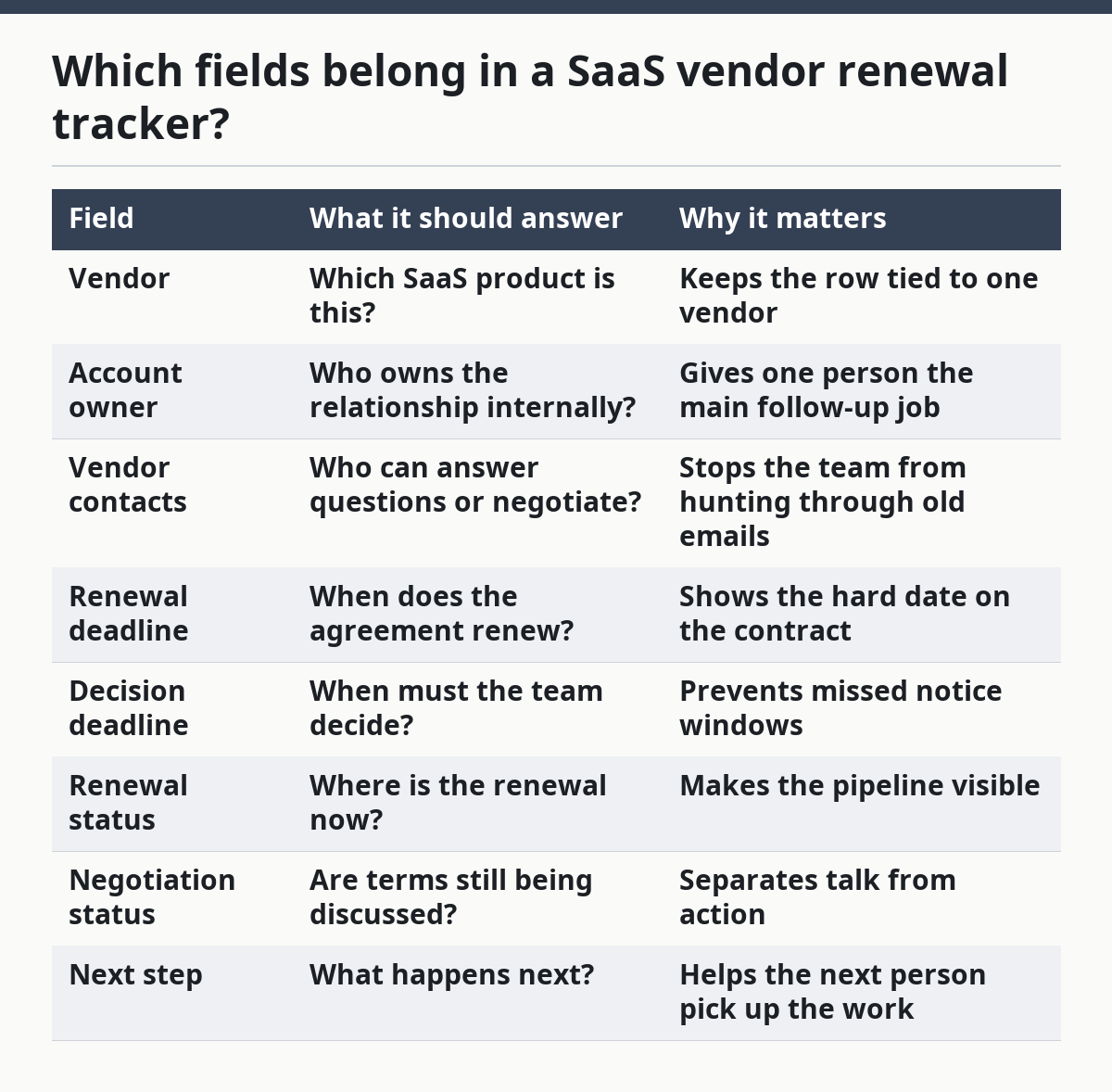
A spreadsheet column with a dropdown is enough for status fields. Microsoft Support has public guidance on creating drop-down lists in Excel and using conditional formatting to flag dates and statuses. Those two features are enough for a basic tracker, and Microsoft’s guidance is a practical starting point for the sheet structure.
How do you build it step by step?
You build it by listing vendors, setting one owner per row, adding the real decision deadline, and then sorting by date so the closest renewals rise to the top. The order matters because the tracker only helps if it points to work that needs attention now.
-
Create one row per vendor. Start with a sheet or table and make the vendor name the first column. One row per vendor keeps the tracker clean when the list hits 20, 30, or more names.
-
Add the deadline fields first. Put renewal deadline and decision deadline near the front of the sheet. The two dates should be easy to scan without scrolling far to the right, because date columns drive every follow-up.
-
Assign one account owner. Give each vendor a single internal owner, even if finance and procurement both care about it. Because of that, one name can prevent the common problem where everyone is informed and no one is responsible, but teams should still confirm the assignment with their own process owners.
-
Add vendor contacts and their role. Include at least one primary contact and, if needed, a backup contact. Label the role in plain words, such as sales contact, customer success contact, or procurement contact, so the team knows who to call first; if the label affects contract handling, consult a procurement or legal professional.
-
Choose a small set of statuses. Use a short list such as not started, in review, negotiating, approved, and closed. A 4- or 5-option list is easier to filter than free text, and it prevents “working on it” from becoming six different phrases.
-
Set a review cadence. Add a next review date or follow-up date so each row can be checked on a schedule. Many teams use 30, 60, and 90-day review points before expiry, but the real cadence should match the number of vendors and the time needed for approvals.
-
Sort by decision deadline, not vendor name. Sort ascending by the date that forces action. That way the nearest deadline rises to the top, and the tracker becomes a work queue instead of a list.
-
Color-code what needs attention. Use conditional formatting to flag dates that are close, blank owner fields, or renewals stuck in negotiation for too long. Reducing visual noise matters because a tracker with 50 rows is only useful if the urgent ones stand out.
-
Lock the definitions. Put a short note above the sheet that explains each status and each date field. If one person treats renewal deadline as the contract end date and another treats it as the notice date, the tracker will drift.
The first version does not need to be fancy. A simple sheet with filters, dropdowns, and a few formulas will do the job better than a complex database no one updates.
How should you handle owners, contacts, and decision deadlines?
You should treat the account owner, vendor contact, and decision deadline as three separate jobs, not one combined field. That separation is what keeps the tracker useful when a vendor thread gets messy.
The account owner is the internal person who pushes the renewal forward. The vendor contact is the external person who can answer questions, send terms, or escalate. The decision deadline is the last safe date for the business to approve, reject, or renegotiate before the renewal date or notice period closes.
A common mistake is putting a team name in the owner field. That feels safe, but it does not tell you who will actually answer on a Tuesday morning when the deadline is five days away. Use one named person, and add a backup only if your team truly needs it.
Another mistake is tracking only the contract end date. That date is often too late to act on. If the vendor needs notice 30 days before renewal, the tracker should make that earlier decision deadline the main date for follow-up.
For deadlines, keep the language plain. “Decision deadline” should mean the date by which the business must choose a path. “Renewal deadline” should mean the contract point at which the service rolls forward or ends. If the sheet mixes those up, procurement and finance will follow the wrong date, so a legal or procurement professional should be consulted if the dates drive contractual notice decisions.
Spreadsheet or tool?
A spreadsheet is the right starting point for most teams, while a dedicated workflow tool makes sense only when the volume or approval chain gets harder to manage. The trade-off is simple: spreadsheets are easy to set up, but tools handle process better.
| Option | Best for | Strength | Trade-off |
|---|---|---|---|
| Spreadsheet | Smaller vendor lists, simple ownership, basic deadline tracking | Fast to build and easy to edit | Can drift if people stop updating it |
| Workflow tool | Larger vendor sets, repeat approvals, status handoffs | Better control over tasks and reminders | Takes longer to set up and maintain |
A spreadsheet works well if the main problem is visibility. It is enough when procurement, finance, and account owners need the same list and a clear date column. It is also the fastest way to define the field structure before a more advanced system is added.
A tool is worth the effort when renewals depend on handoffs, reminders, or status changes that follow the same pattern every time. If the team has to chase updates across many vendors every month, a manual sheet can become a bottleneck. Smartsheet’s vendor management guidance and Microsoft’s Excel help pages are useful references if you want to stay in spreadsheet mode longer.
The honest limit is this: a tracker can show the work, but it cannot do the work. If no one updates the owner field, the status field, and the decision deadline, the sheet becomes a record of missed steps instead of a control point.
How do you keep it current without creating busywork?
You keep it current by making update time part of the renewal process, not an extra task at the end. A tracker that only gets attention near year-end will miss the rest of the calendar.
Pick a fixed review rhythm, such as a weekly or twice-monthly check for active renewals. Then make the owner update three fields at minimum: status, next step, and decision deadline. That small habit keeps the sheet from turning stale.
Use filters to create a working view. One view can show renewals due in the next 30 days. Another can show anything still in negotiation. That is usually enough for a procurement or finance review without rebuilding the whole sheet.
Keep comments short and dated. “Waiting on vendor redline” is useful; a long paragraph copied from email is not. If the sheet starts holding long conversation logs, it is doing too much work.
The main mistake is overbuilding the tracker in week one. Add fields only when they answer a repeated question. A tracker with 15 fields and no updates is worse than a tracker with 8 fields that people actually maintain.
What does a strong renewal process look like?
A strong SaaS vendor renewal tracker starts with one tracker, one owner per vendor, and one deadline that forces action before the contract rolls forward. That is the real job of the system.
The flow is simple: record the vendor, assign the account owner, add the vendor contacts, set the renewal deadline and the decision deadline, and update status until the renewal is closed. Procurement and finance can then read the same record without reassembling it from email.
This page fits inside the broader work on SaaS contract terms and renewal. It is the operational layer: who owns the item, who to contact, and when the decision must be made. The same tracker can also sit alongside a vendor management process when teams need a broader workflow.
The tracker is not for every problem. It is not the right place for clause summaries, hidden pricing overrides, or audit trails for public pages and quotes. Those need their own records. For renewal coordination, though, a clean tracker is usually enough.
What should a vendor renewal tracker include?
A vendor renewal tracker should include the vendor name, one internal owner, vendor contact details, the renewal deadline, the decision deadline, and a status field for the renewal and negotiation stages. It should also include a next step field so the team can see what happens next without opening email threads.
Who owns SaaS vendor renewals?
SaaS vendor renewals are usually owned by one named account owner, with procurement and finance as supporting reviewers. The owner should be the person who follows the record from first notice to close, because a team name does not tell anyone who will act before the deadline.
How do you avoid missing renewal deadlines?
You avoid missing renewal deadlines by tracking the decision deadline, not just the contract end date, and by reviewing the sheet on a fixed cadence. A 30-, 60-, or 90-day check gives the team time to act before notice windows close, especially when more than one department has to approve the renewal.
Drafted with AI; not yet reviewed by a person.